
How to Train a LTX-2 Character LoRA with Oxen.ai
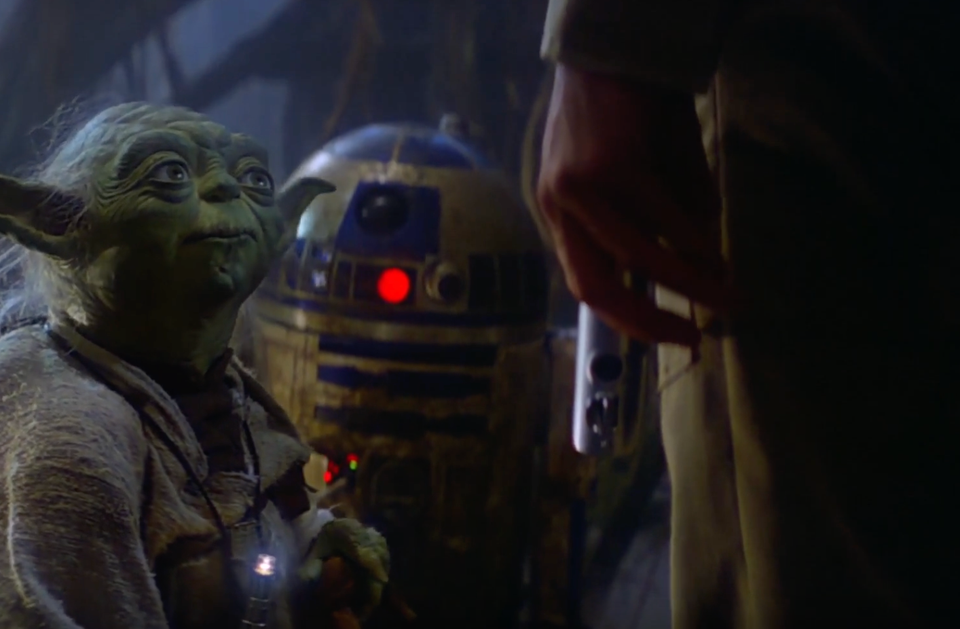
LTX-2 is a video generation model, that not only can generation video frames, but audio as well. This model is fully open source, meaning the weights and the code are available for anyone to download. The video and audio quality rivals closed models such as Sora and Kling, but the fact that it is open source makes this model way more customizable than it’s closed source brethren.
Today, we'll show you how to customize this model by training a custom LoRA on Yoda from Star Wars.
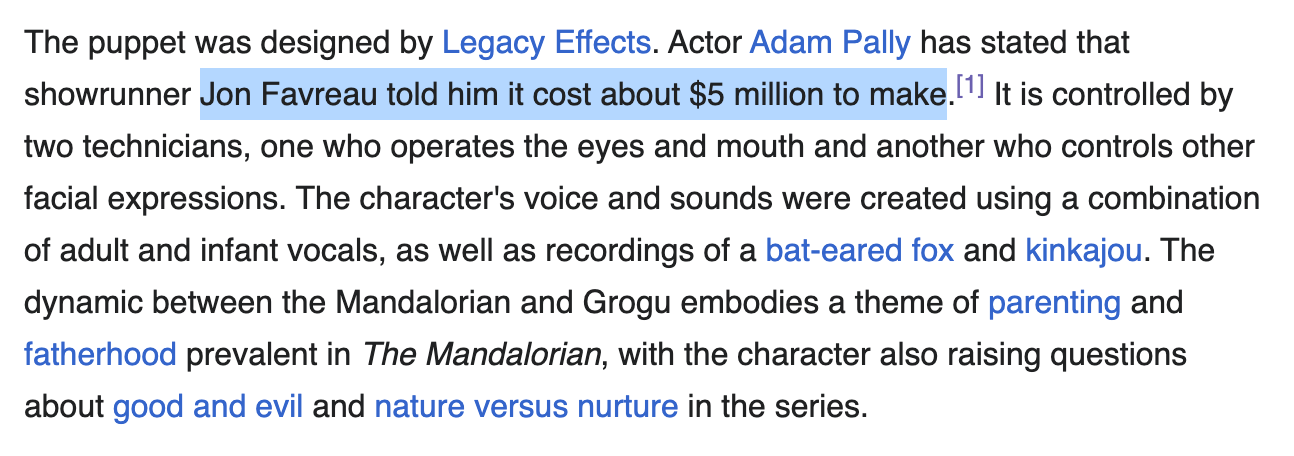
The fine-tune we will be working on today cost ~$10 in GPU compute. The budget to create Grogu (baby Yoda) from the Mandalorian series was ~$5 million dollars, so overall I'd say we are doing pretty well! Granted, we have the benefit of all the hard work of the artists who animated the original Yoda, but this would be great news for a reboot.
We explored this in detail during our recent Fine-Tuning Fridays community livestream.
Why Train a LoRA?
There are some problems that are hard to prompt engineer your way out of. Specifically if a character has a distinct movement or voice, good luck describing exactly what you want in text. Let alone the dice roll of variable outputs you get.
Fine-tuning allows us to train capabilities directly into the model weights themselves, giving you more predictable and consistent outputs. It’s not feasible for foundation models to be trained on everything right out of the box. New characters, styles, and voices are always popping up. Big model labs say they are training use every piece of data they can find, but that’s never going to encompass every use case. Luckily, models like LTX-2 let us handle the training ourselves.
At Oxen.ai, we believe model training shouldn't be intimidating or in the hands of a few. All you need to do is upload your data, and we'll do the heavy lifting of orchestrating the GPUs, training the model, and saving the weights for you.
The Task
We want to pick a character that has a few unique qualities. The character should have a unique look, and movement style that is hard to capture in a prompt or reference images alone. The character should also have a unique voice that we can train the model to generate. One iconic character that meets these criteria is master Yoda from Star Wars.
There's never enough Yoda wisdom to go around, so why not train a model to create infinite universes where Yoda can give his wisdom.
Prompt Engineering
Before diving into any fine-tuning, we need to set a baseline of what this model can do with prompting and reference images. Prompting is quicker to iterate and explore the latent space, but may not always give the results you want. Feel free to play with the model in the Oxen.ai model playground to get a feel for it.

Testing a purely text prompt LTX-2 for the concept of "Yoda", it certainly knows that he is a green alien creature...but other than that we are far from the mark. Granted, this was a pretty lazy prompt.
Yoda is in a swamp, and says "do or do not, there is no try"We could try a more in depth prompt to see if we can capture the style.
Medium shot of an elderly, small green alien named Yoda with large pointed ears and deep wrinkles, wearing tattered beige robes. He stands stationary in a dark, misty swamp environment with twisted tree roots visible in the blurred background. The figure looks directly ahead, blinking slowly and moving his mouth as if speaking wisdom. He gestures subtly with his left hand held near his chest. Soft, moody lighting accentuates the texture of his skin against the dim, blue-hued atmosphere. The camera holds a steady frame with a very slight handheld motion, maintaining a cinematic and realistic aesthetic. He says "Do or do not, there is no try" in a high-pitched, raspy, and creaky vocal quality characteristic of an elderly being. The tone is wise and authoritative, delivered with a slow, deliberate cadence and a distinct "croaking" texture.Honestly it feels more like a green Dobby from Harry Potter than it does Yoda.
These text to video experiments are good to get a feel for what the model knows out of the gate, but in practice most people use image to video workflows. Where you spend the majority of your time perfecting a high quality image reference, then let the model continue from that frame.
In this case, we are just going to take the first frame from the real footage, and see if the model can continue from there.
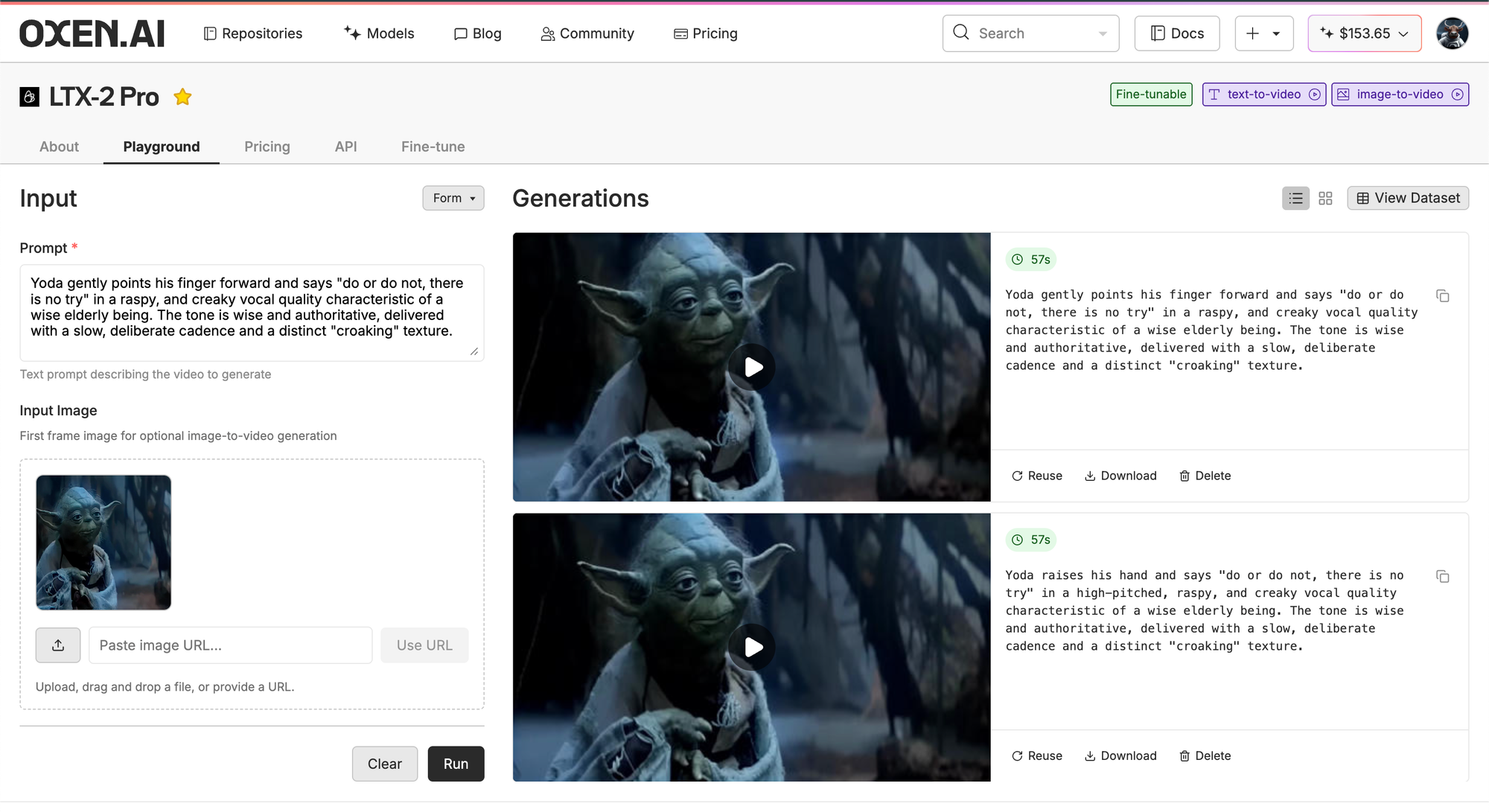
Here's an example of what comes out the other end:
While it does look like Yoda, it does move like Yoda, nor sound like Yoda. After some playing around in the model playground, it really hard to prompt engineer your way out of the audio and movement problems. Time to break out the power tools of Fine-Tuning.
Fine-Tuning a LoRA
In order to get the quality movement, voice, and more constancy than the constant dice roll of prompting, we are going to collect a dataset of Yoda and fine-tune our model.
Fine-tuning a model consists of 3 main steps:
- Collecting a set of videos
- Captioning the videos for text,video pairs
- Training the model on the pairs
You can follow along with this example on Oxen.ai here:

Collecting a Dataset
The first thing we have to do is find reference videos of Yoda speaking. A good rule of thumb is to try to find 20-30 videos to start. The more data, the better, but you can sometimes get away with as little as 10 videos, depending on the complexity of the movement or character.
Naturally, YouTube is a great place to start looking. We found this video of 25 great Yoda quotes. There are a variety of sites that allow you do to download YouTube videos if you do a quick google search.
The important part of creating a video training dataset with audio - especially speech, is that you have ~5 second clips at 24 fps, where the audio fully fits in the 5 seconds. We do not want to have the audio cut off halfway through Yoda's speech. Not only would it be rude to Yoda, it would make it hard for the model to learn coherent sentences.
The LTX-2 code repository has a python script and instructions for preparing a dataset.
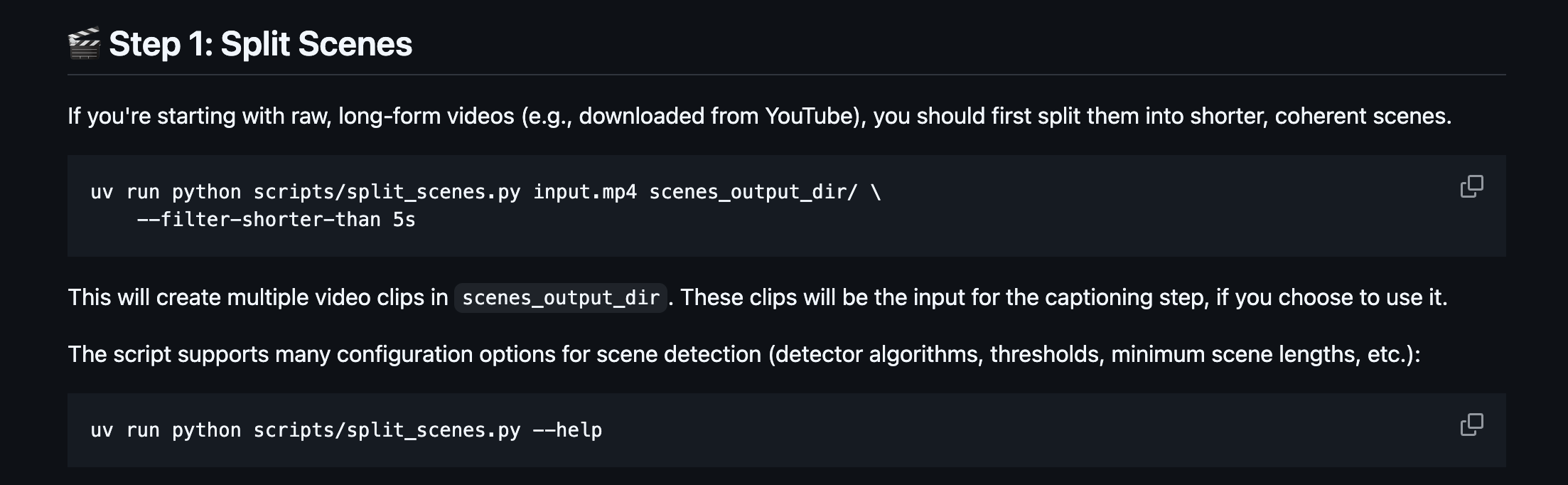
If you are not comfortable using python or the command line, you can also use software like CapCut to chop the video up into scenes, then manually trim the clips in their timeline tool.
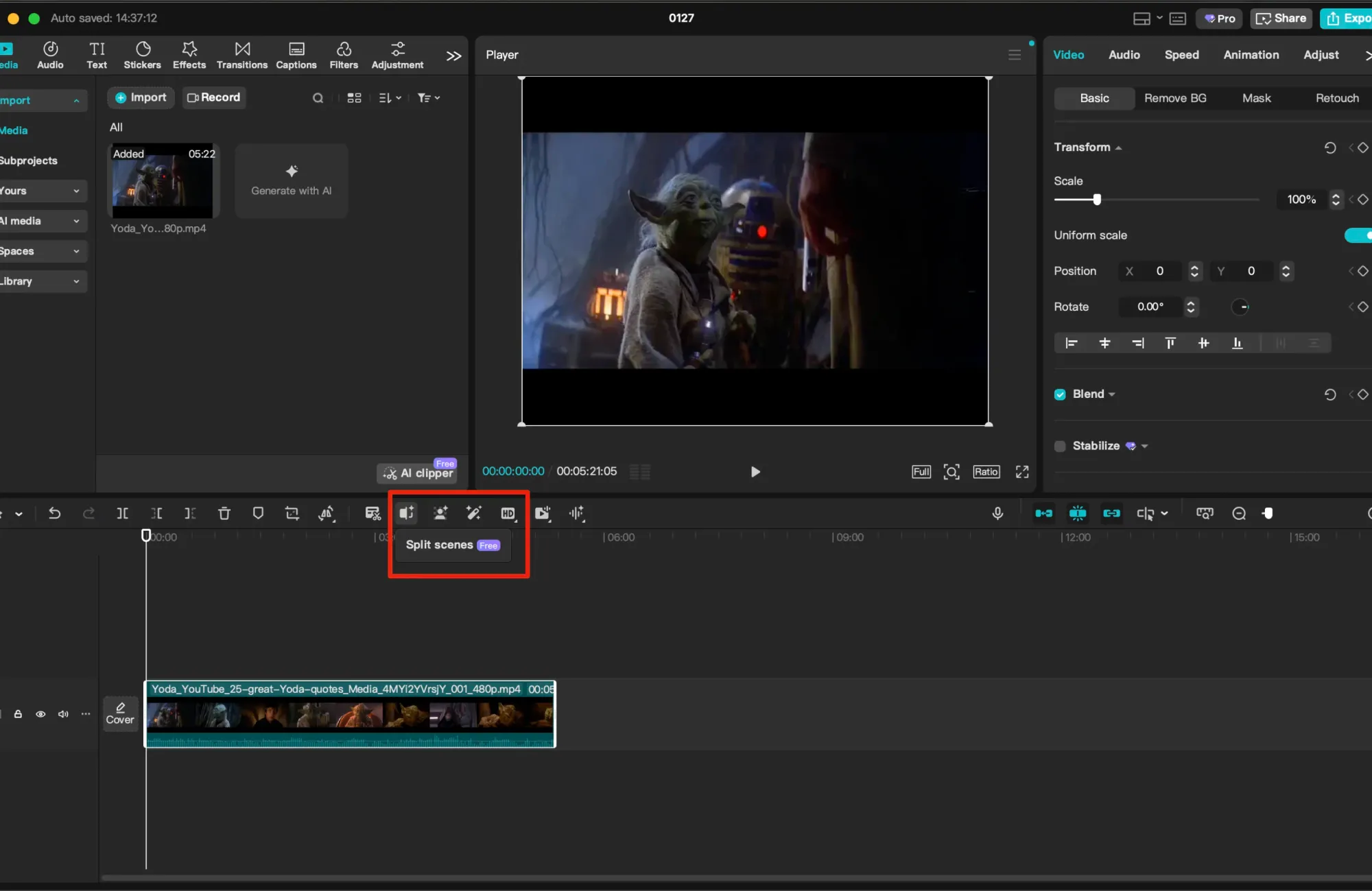
You'll want to organize these 5 second clips into a folder that you can upload to Oxen.ai when they are ready.
Uprezing the Videos
The origin video from YouTube is not the highest quality. The raw download is only at 480p resolution. In order to get a little higher quality training data, we took the clips that we liked and ran them through the Topaz Video Upscaler one by one. For our training data we aimed for a resolution of 1080p.

The Lightricks model can be trained all the way up to 4k resolution, but 1080p is good enough for our use case here.
Creating the Dataset
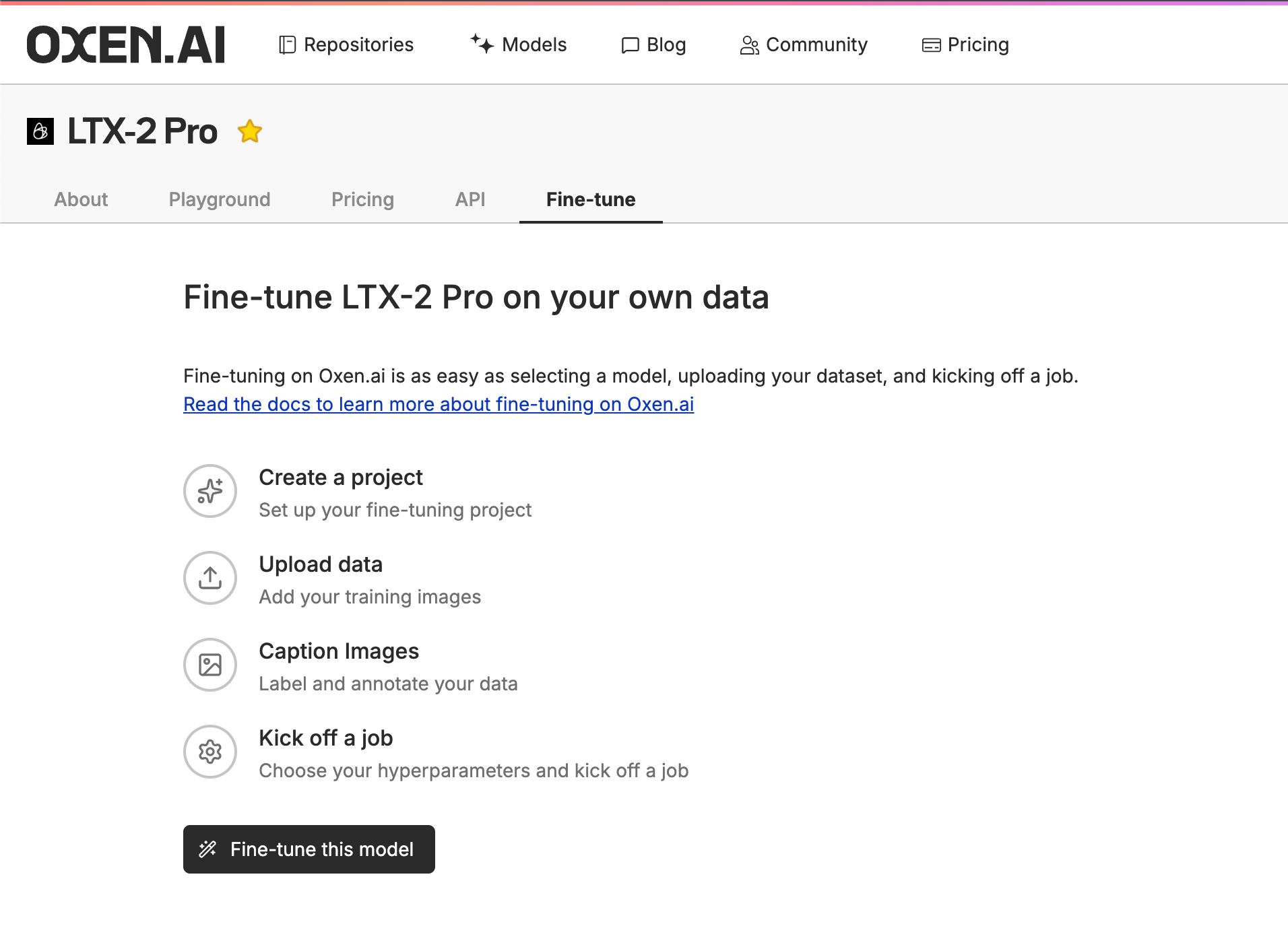
Now that we have our videos chopped and at 1080p, we are ready to label the dataset. Start by navigating to the model you want to fine-tune, in this case LTX-2, and clicking on the "Fine-Tune" tab.
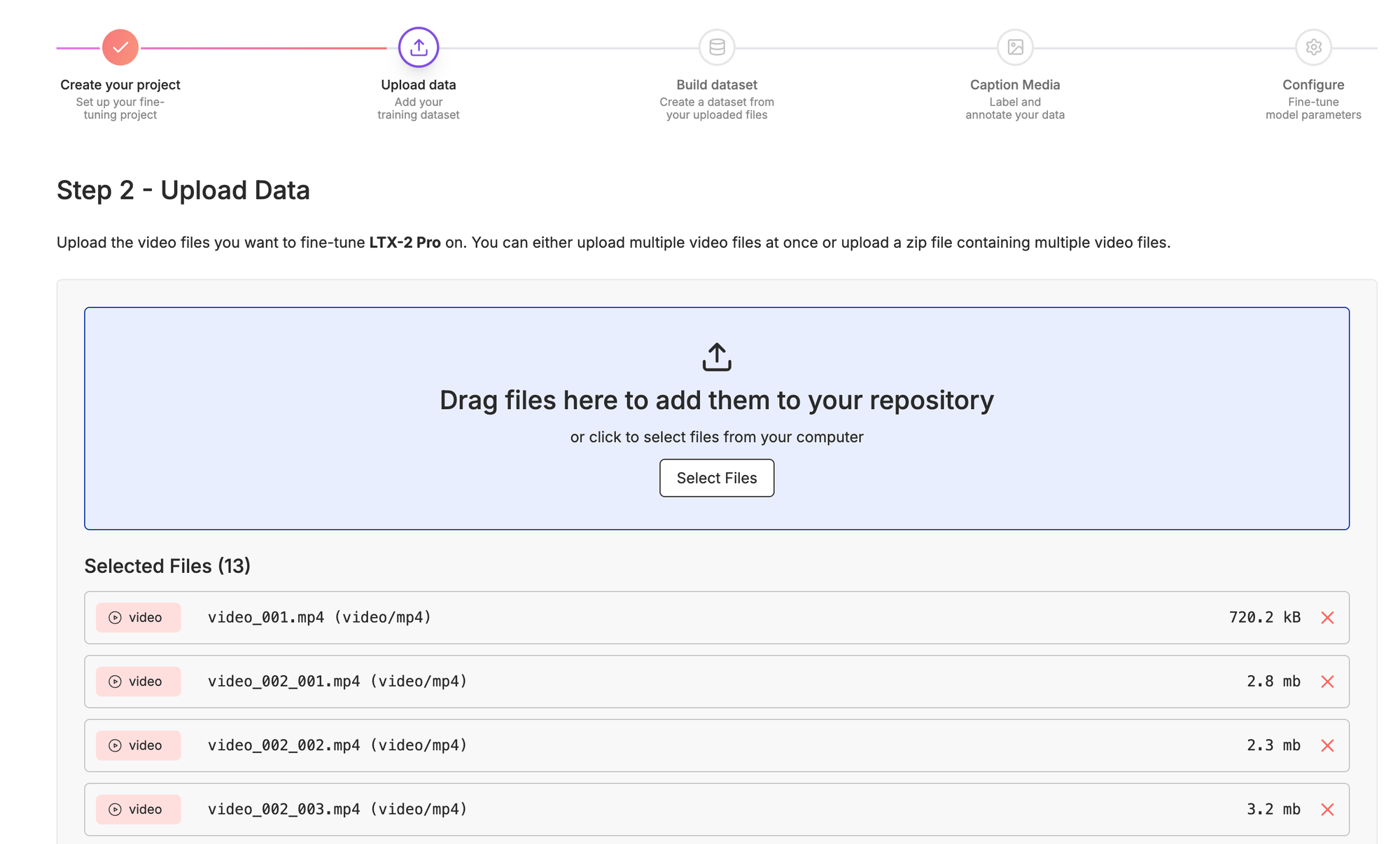
Next, you'll want to upload all your videos that you previously trimmed and collected.
Training a model consists of having reference videos, and prompts associated with each video. Think of the prompt associated with each video as "what you want to be able to direct" after training is finished. Below is what your dataset might look like after labeling.
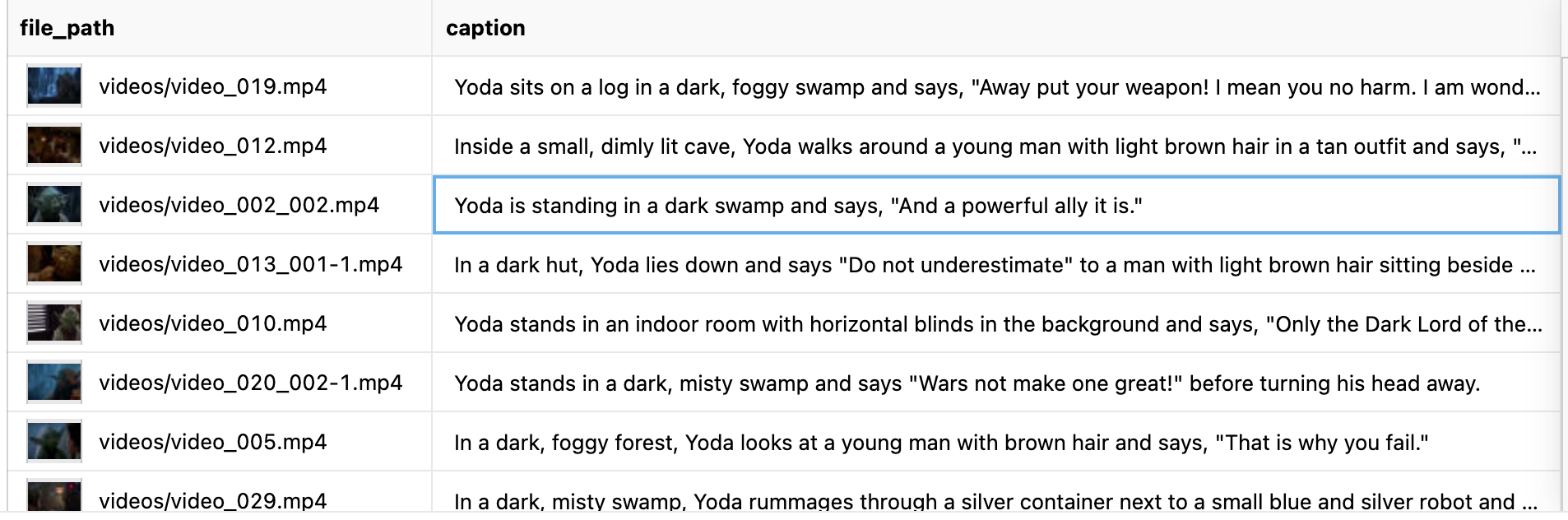
In order to get here, we are going to run a vision language model over each video to help us label. This is where some of the creativity and control comes in. If you want to use very simple prompts down stream, and let the model learn the rest, you can do that. If you want very detailed control, you'll want to caption with more detail.
Here's an example of a simple prompt that will caption you videos in one sentence or less:
Describe the video in one sentence. Describe the setting, the characters, and the dialog. The green character is Yoda. For all other characters just describe what they look like.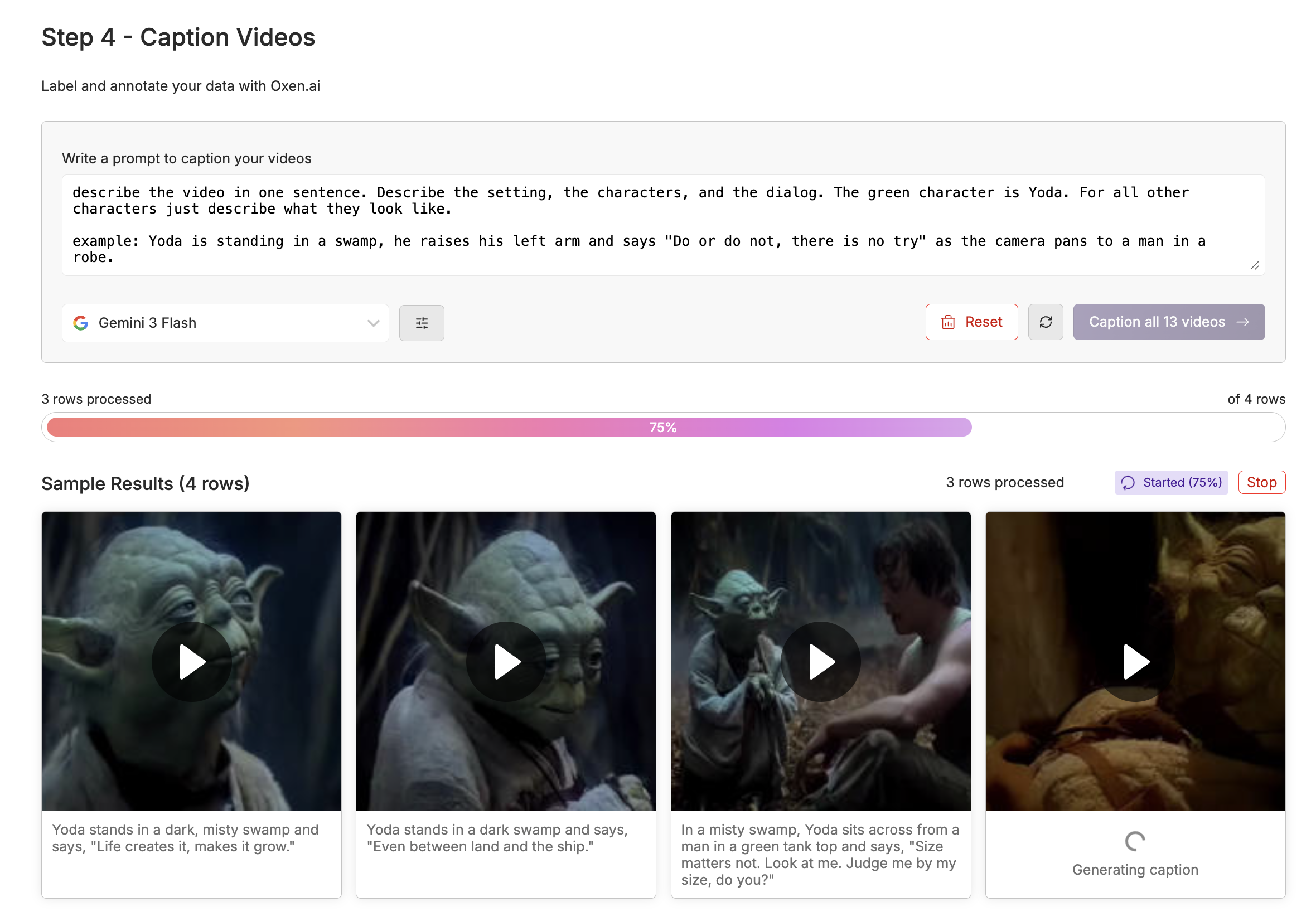
You can get as complicated or verbose as you want with the prompts. The Lightricks GitHub repository recommends splitting into different sections for visual vs audio with the following captioning prompt:
Analyze this media and provide a detailed caption in the following EXACT format. Fill in ALL sections:[VISUAL]: Detailed description of people, objects, actions, settings, colors, and movements. The main green character is named Yoda, refer to him as such
[SPEECH]: Word-for-word transcription of everything spoken. Listen carefully and transcribe the exact words. If no speech, write "None"
[SOUNDS]: Description of music, ambient sounds, sound effects. If none, write "None"
You MUST fill in all three sections. For [SPEECH], transcribe the actual words spoken, not a summary.
It really depends on what level of control in your prompts you want later. Anything you leave out of the prompt, the model will learn. Anything you include in your prompt, you will be able to have control over later. For this example, we found that separating out the speech and video parts of the prompt gave the best results.
Describe the video in two sections: [VISUAL] and [YODA_SPEECH]. Respond with just the example, and no preamble.[VISUAL]: a detailed description of people, objects, actions, settings, colors, and movements. The main green character is named Yoda, refer to him as such. Do not describe what Yoda looks like, just reference him by name.
[YODA_SPEECH]: Word-for-word transcription of what is spoken by Yoda.
Here is an example:
[VISUAL]: Yoda is standing in a swamp surrounded by twisted roots and vines, wearing a tattered beige robes and holding a small wooden staff, he walks towards the camera and raises his left arm while he speaks.
[YODA_SPEECH]: Do or do not, there is no try.
Make sure that the keyword Yoda is in every prompt, because we do want the model to learn to associate Yoda with our wise green little friend. Adding in the YODA_SPEECH keyword also gives the model a unique token to latch on to when training his particular speech patterns.
Configuring the Training
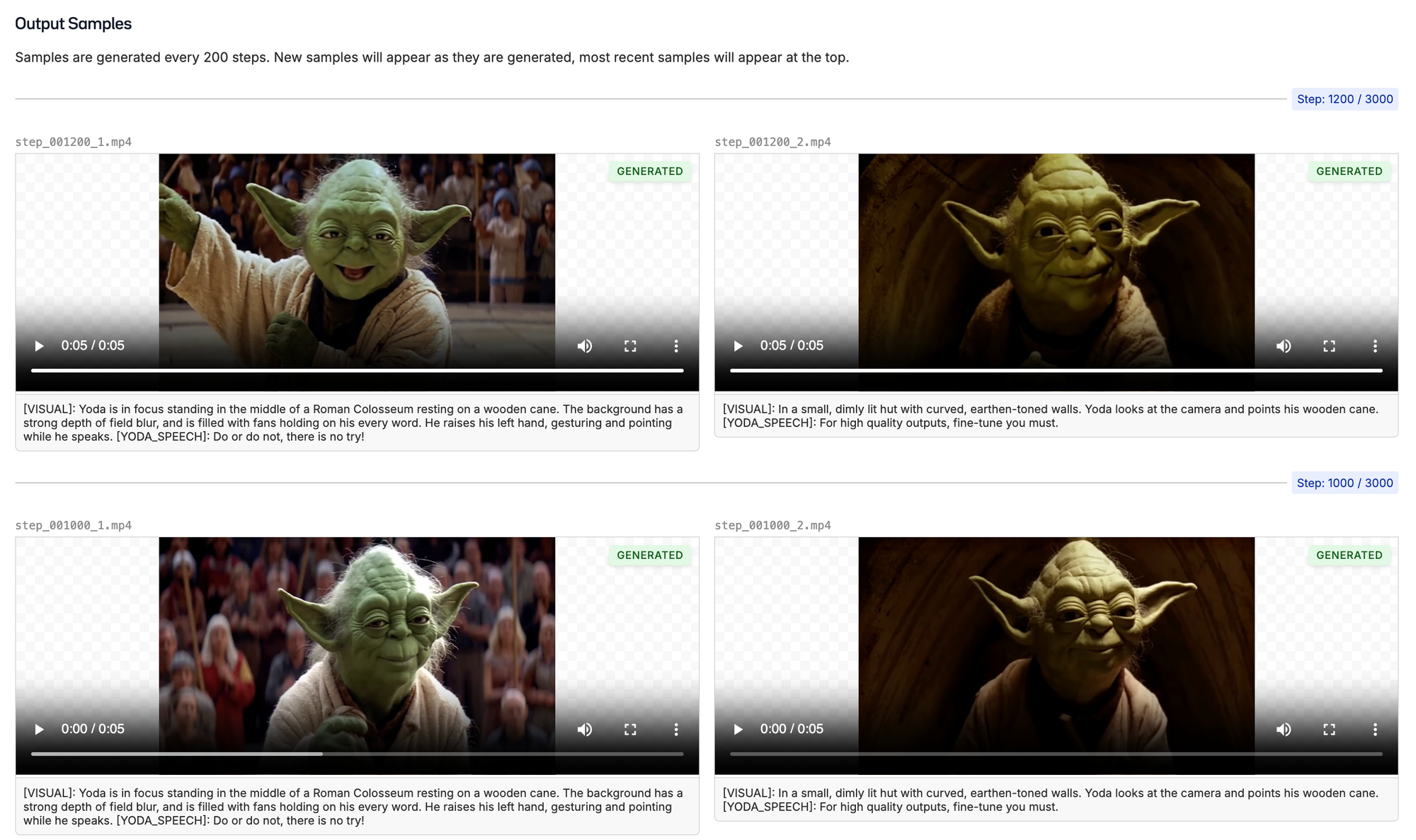
After you are happy with your videos and captions, it is time to configure your training. During training, we will sample outputs every 200 steps by default. These samples will give you a feel for how well the model is performing over time.
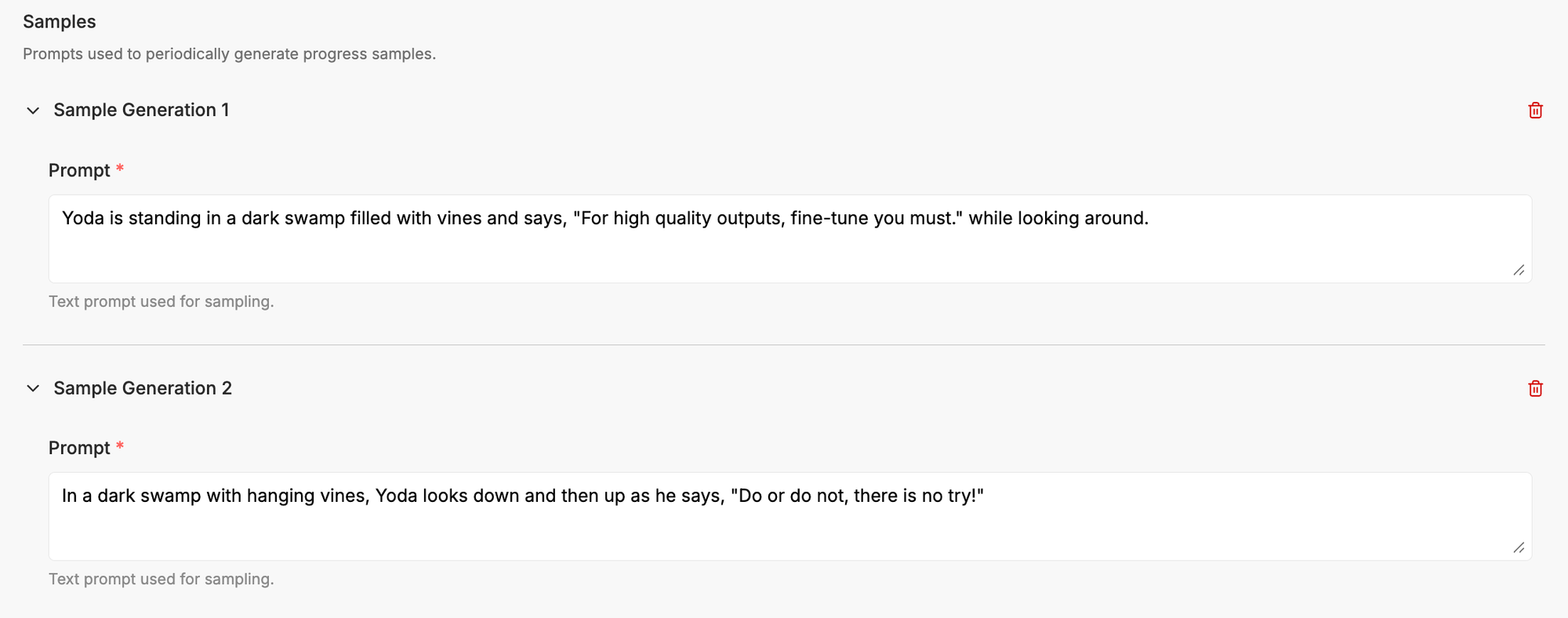
Start by writing some example prompts that will help you monitor the training. The first couple steps, the outputs will look nothing like your target. Slowly over time, you'll see the model picking up the attributes of your training data. Here is an example of the first couple samples:
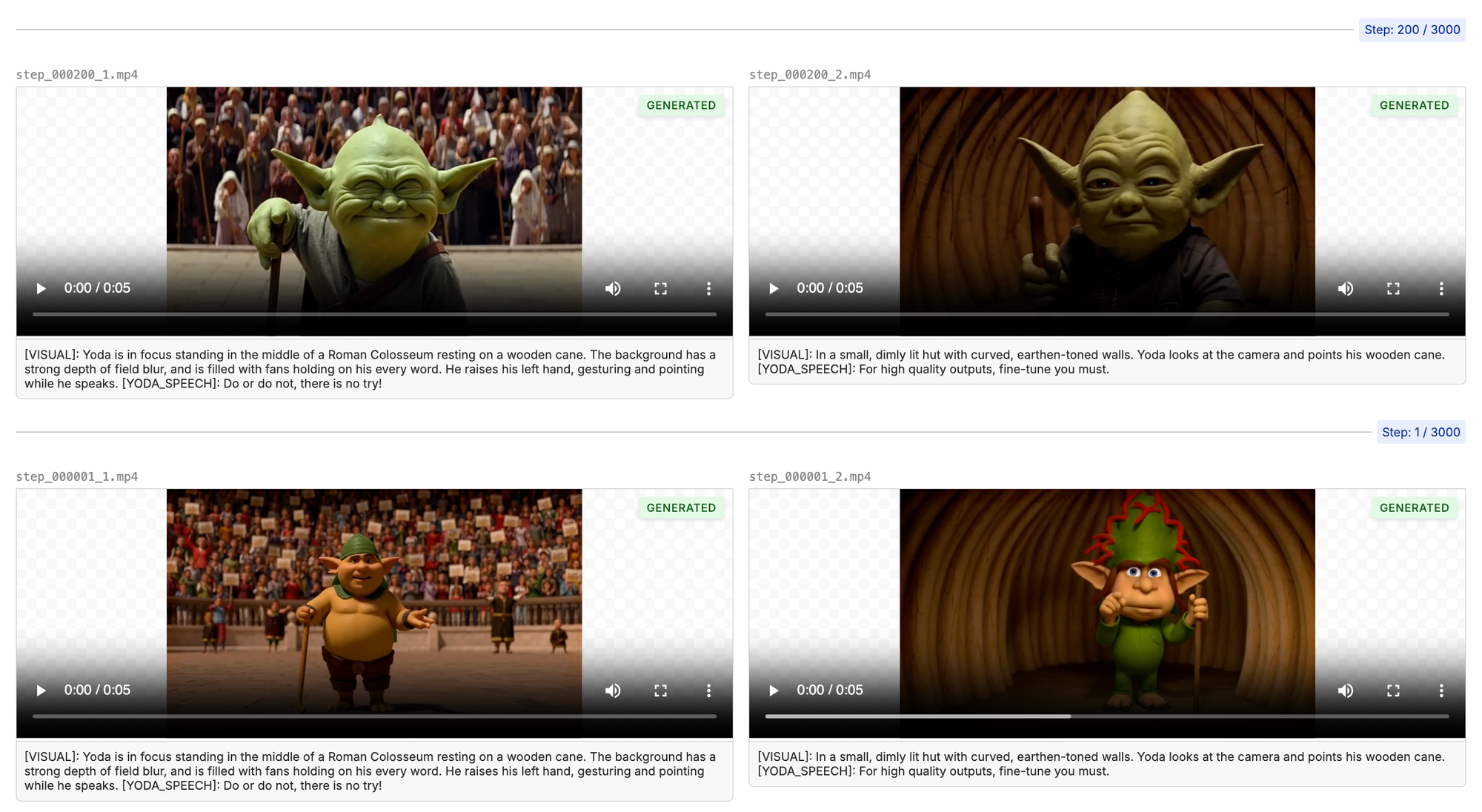
The longer the model trains, the closer the outputs will resemble the training data. After 1000 steps, we are starting to see the Yoda we know and love. Make sure to listen to the audio as the model is training to make ensure it is not only looking good, but sounding crisp as well.
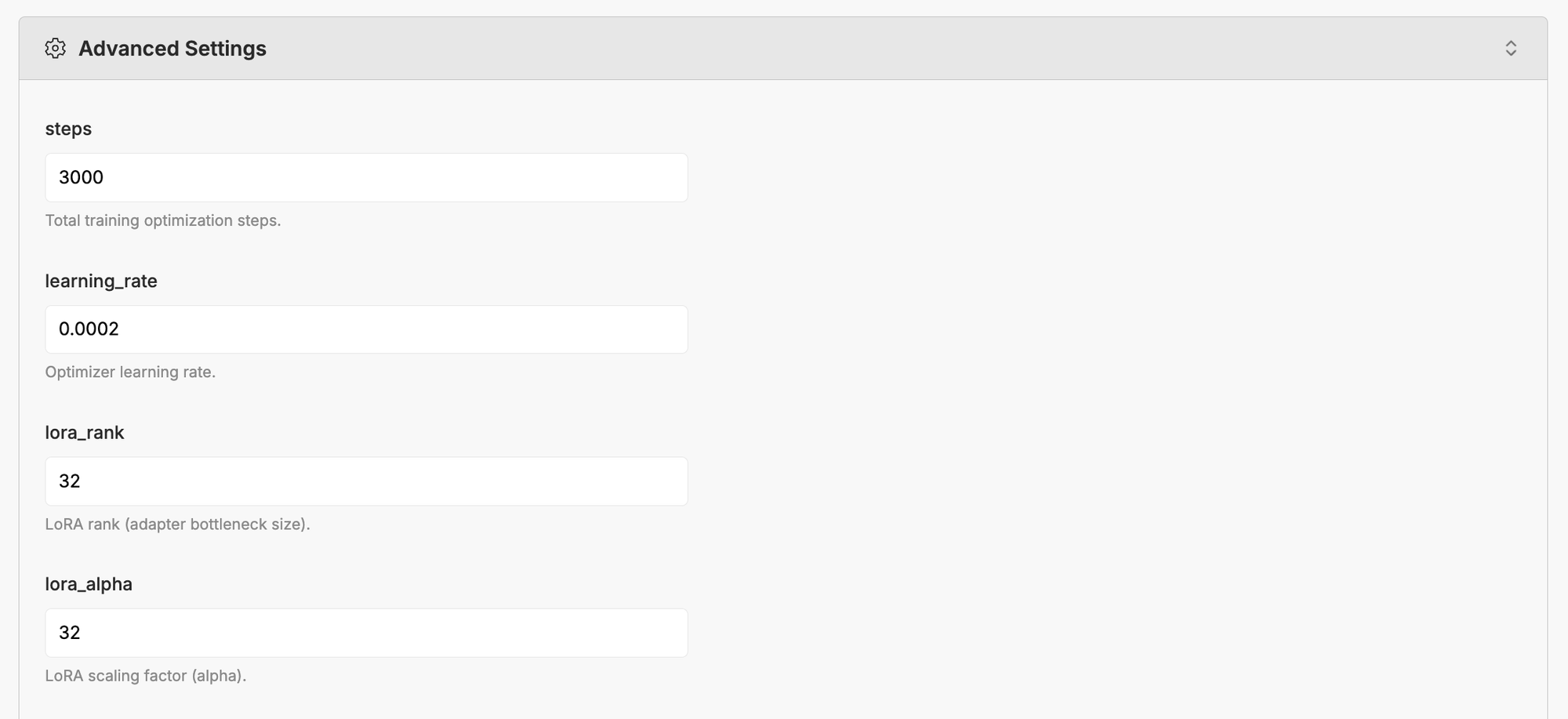
There are many advanced parameters you can tweak to make the model great. We try to set reasonable defaults, but feel free to experiment and play.
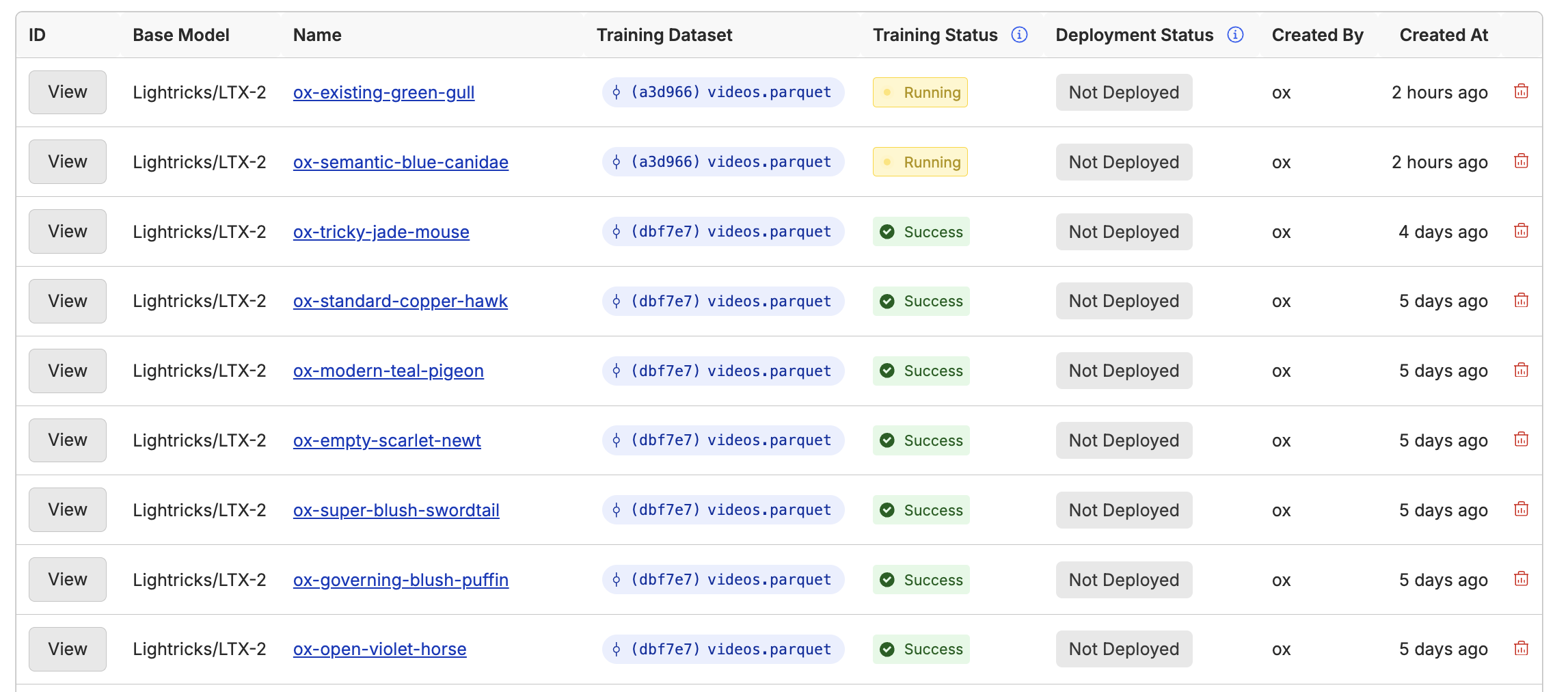
One of the benefits of using Oxen.ai is that you can easily spin up as many training runs as you want in parallel to experiment with different parameters. We'll allocate a large enough GPU for training and handle all the heavy infrastructure work under the hood. All datasets and experiments are versioned, so you can always go back and look at the exact combination of parameters and compare over time.
The Result
After 1000 steps of training, here are a couple encouraging samples. We are now driving the audio with simple text prompts, and the model has a general look and feel for the character. We can also put him in different settings than the movie, such as a stadium full of people giving a speech.
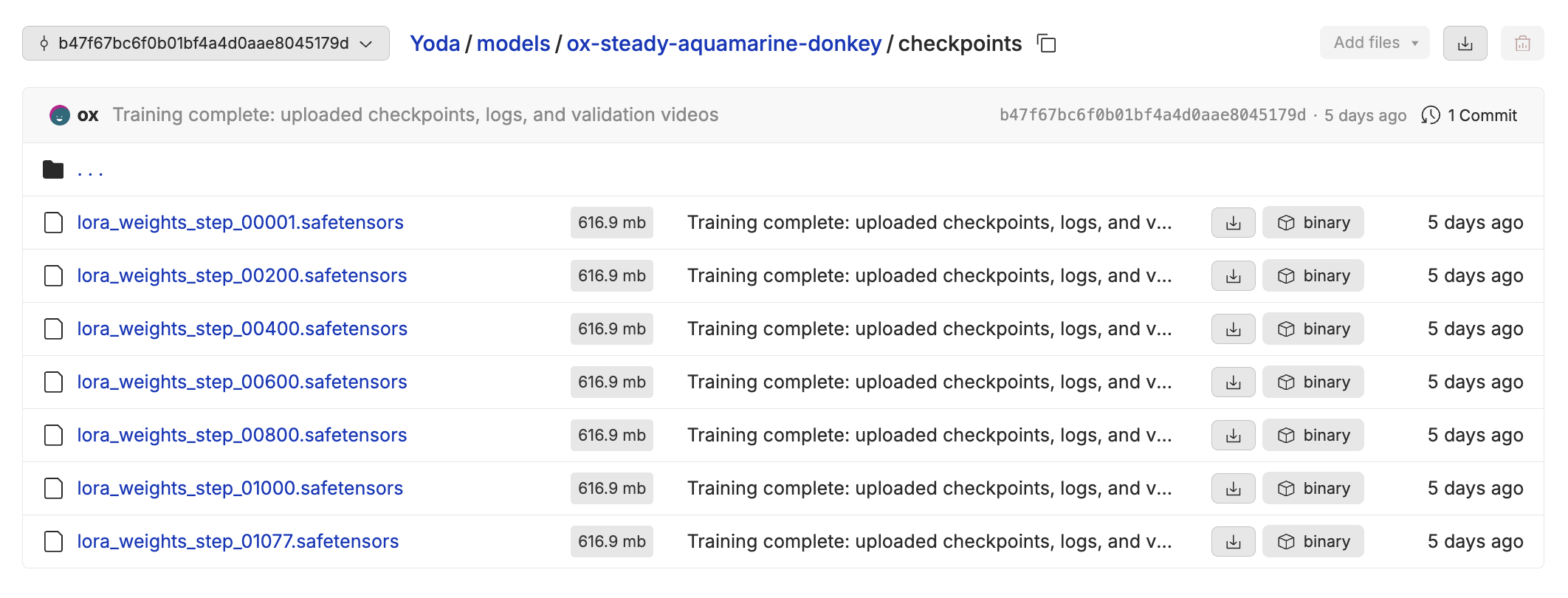
Not bad for $10 of compute! When the model training is complete, you can download the lora checkpoint from any one of the steps where we sampled. This can be useful if you happen to overfit or train your model for too long.
Takeaways
A few things that we learned from experimenting with LTX-2 so far.
1) The audio and the video learn at different rates for this model, you may see the audio click in before it has fully learned the video
2) The model is pretty sensitive to LoRA size and learning rate. 16 for the LoRA size and 0.0002 worked well for the output above.
3) 960x576 at 24 fps seemed to be the optimal resolution for training, given our data.
We have only scratched the surface of what is possible with training this model on text to video. You can also condition the model on images, audio, or video. In the coming weeks we will be experimenting with different inputs and outputs to drive the highest quality video.
Feel free to reach out to us at hello@oxen.ai if you want any help experimenting with video training. We love to get our hands dirty and help you prepare the data or fiddle with hyper parameters until you get the perfect outputs. Also feel free to join our discord, there are many great engineers, researchers, and artists in the community.
If you want to get started with fine-tuning in Oxen.ai, you can create an account for free and start training LoRAs today. Follow along with our documentation for how to get started:
Happy Fine-Tuning!
~ Oxen.ai Herd
Member discussion