
MiniMax H3: Open Weights & Prompting Techniques Complete Guide.
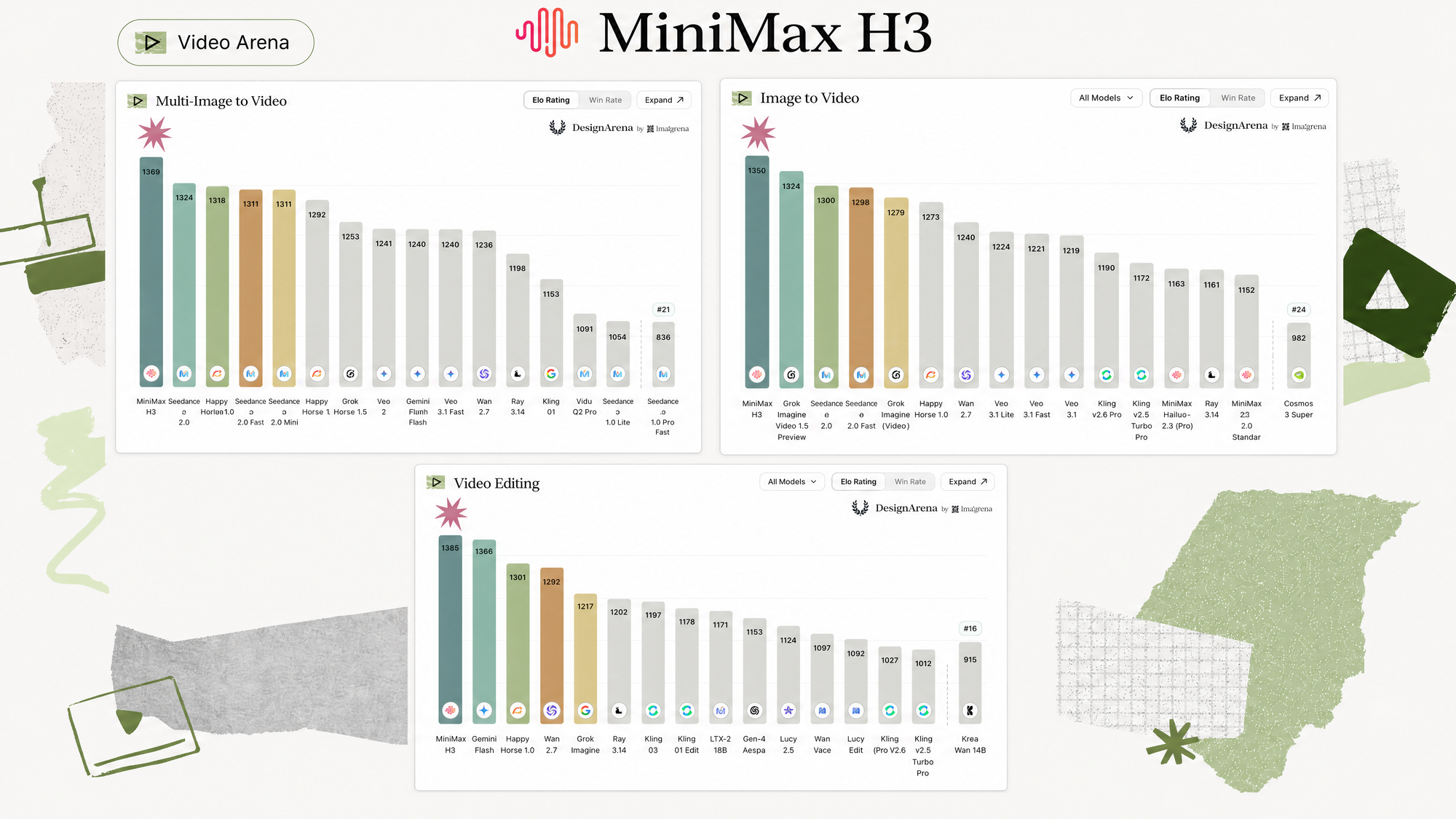
Open weights video generation has finally caught up. Last week, MiniMax released their H3 general purpose video generation model - and it is good. It is not only good, it is state of the art across 3 core video generation tasks on the design arena leaderboard. The fact that it's open weights means we will be able to run it locally, and even train it on our own videos and images. It finally feels like we have a Seedance 2.0 level model at home.
Today we will dive into this model's features. We will give you example prompts, show you how to use it in the API, and run it on your machine. Want to follow along? Make an Oxen.ai account. You can prompt through the UI or API, and fine-tune the model to your hearts content.

Would rather watch on YouTube? Check out our full Fine-Tuning Friday breakdown of this model here:
Model Overview
MiniMax H3 is an omni model. It takes text, image, audio, and video as input. Under the hood, it's a 33B parameter diffusion transformer with Qwen3-VL-32B as the encoder. To run it locally, you want at least 24 GB of VRAM. With quantization and offloading it squeezes onto as little as 8 GB. For higher precision weights and longer generations, 50-60 GB is the sweet spot.
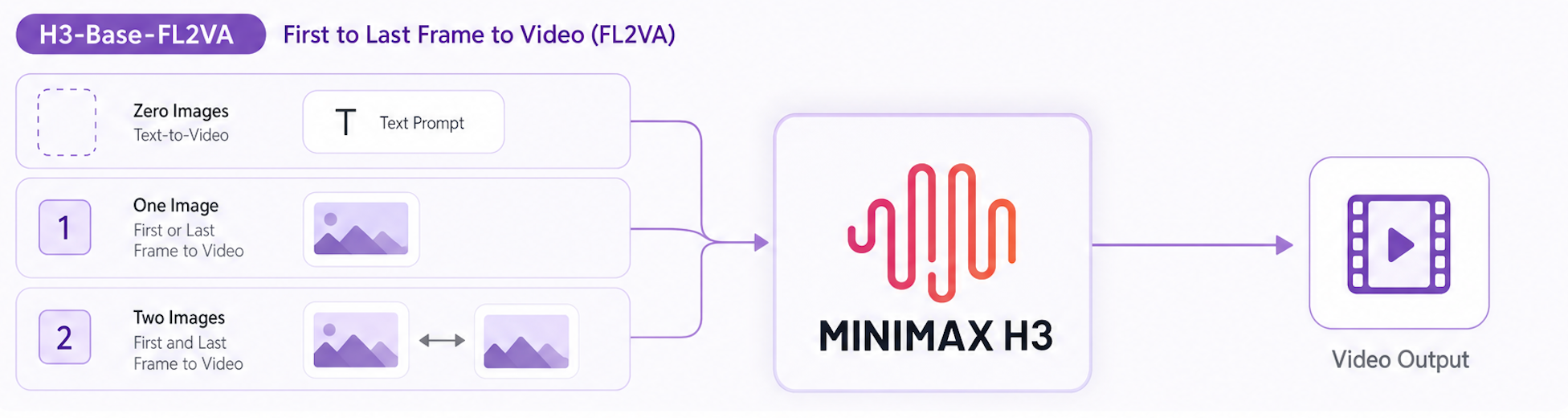
The inputs and outputs of this model feel a lot like Seedance 2.0. The model has two modes: FL2VA & Ref2VA.
FL2VA (First Last Frame to Video/Audio) uses zero, one, or two images. The image(s) can be the first or last frame of the video, and the model does it's best job to interpolate in-between. It also outputs 32 kHz stereo audio - which is some of the highest quality audio we've seen in a model.
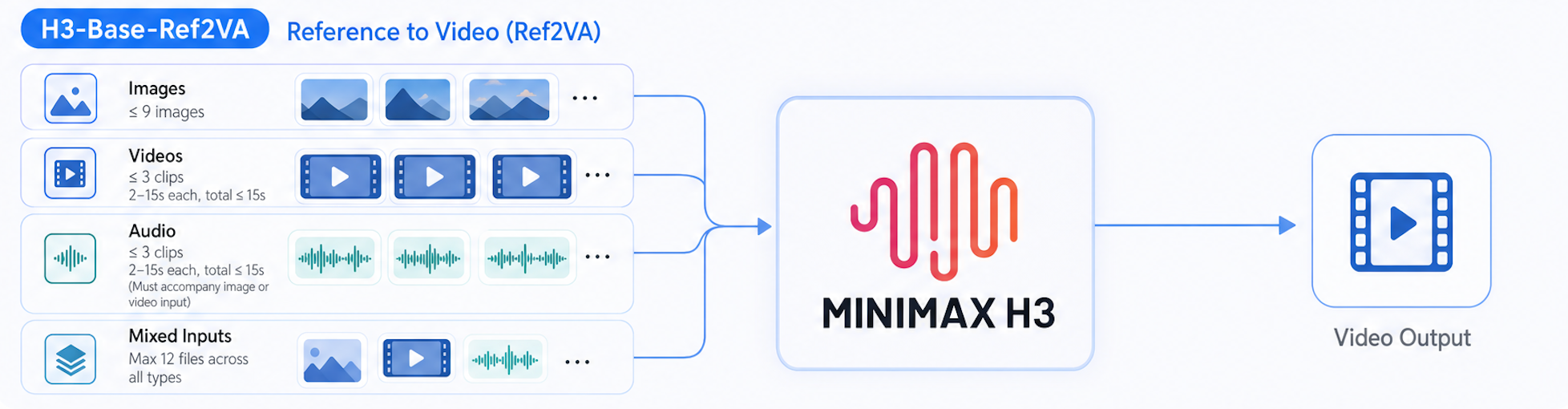
Ref2VA (Reference to Video/Audio) allows up to 9 reference images, 3 reference videos, and 3 audio clips. You can use up to 12 inputs across all modalities.
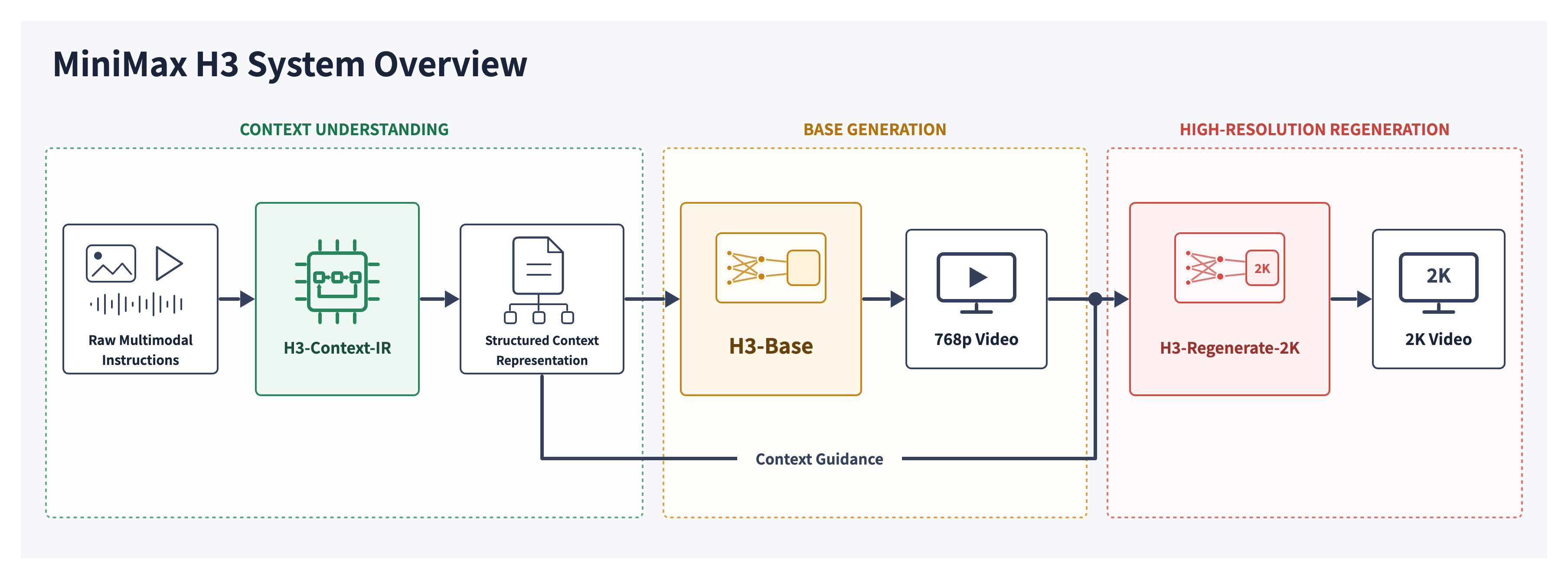
The API under the hood runs this three step pipeline. First enhance the user's prompt, then run the base model, then run an upscaler to get to 2K resolution. The current open source release has only the "base generation" block. If you are running the model locally, you will have to create your own pipeline to get results on par with the API.
Prompting Guidelines
If you've been following along on X, you may see people sharing generations straight out of "The Office". The model trained on every TV show and movie they could get their hands on.
Even a simple prompt creates great Jim and Dwight dialogue. No reference images. No script. Thank you Justine for the inspiration.
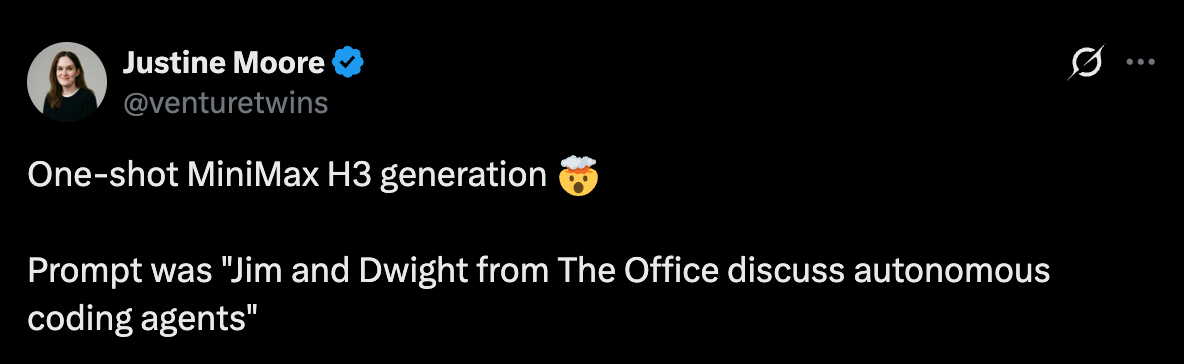
The prompt above makes this video.
Pretty impressive, right? This is running through the API or a service like Oxen.ai who hits their full pipeline. To make a video like this locally, you need to follow their complete prompt guidelines.
https://huggingface.co/MiniMaxAI/MiniMax-H3/blob/main/docs/VIDEO_PROMPT_WRITING_GUIDE_base_en.md
You can point your agent to this file and ask it to help you enhance your prompt. Or if you want to write it yourself, here is an example prompt.
integrated_multimodal_description: [Shot 1] Live-action mockumentary comedy, a medium-wide shot frames Jim and Dwight seated at their neighboring desks in the fluorescent-lit Dunder Mifflin office, with beige computers, paperwork, and coworkers softly out of focus. Jim, a tall young white man in a pale blue shirt and loosened tie, turns toward Dwight and casually says in a dry, measured voice (S1): <d>[English] So you're saying a language model can pretty much do your job?.</d> Dwight Schrute, a rigid young white man with center-parted brown hair, glasses, and a mustard shirt, stops typing and stares suspiciously. [Shot 2] At 00:05.100, the camera cuts to a tight mockumentary close-up of Dwight. He leans forward and says in an intense, clipped voice (S2): <d>[English] False. The combination of silicon and human flesh is superior.</d> [Shot 3] At 00:08.100, the camera cuts to Jim glancing directly into the lens with a restrained half-smile while Dwight resumes typing aggressively in the background.

overall_soundscape: Low office ventilation, distant phones, subdued coworker chatter, keyboard tapping, and paper shuffling fill the room. Dwight’s final rapid keystrokes become distinctly louder beneath Jim’s silent camera glance.

non_diegetic_music: N/A
Some techniques to note:
- Use [Shot 1] and [Shot 2] to define your different shots.
- Use <d></d> tags to define dialogue, and specify the language inside the tag [English]
- You can define timestamps for the shots with "[Shot 2] At 00:03.500"
- Use integrated_multimodal_description, overall_soundscape, and non_diegetic_music to set up your shots or add sound and music.
The easiest route is to have your agent read the prompt guidelines and rewrite your prompt for you.
Run The Model On Your Hardware
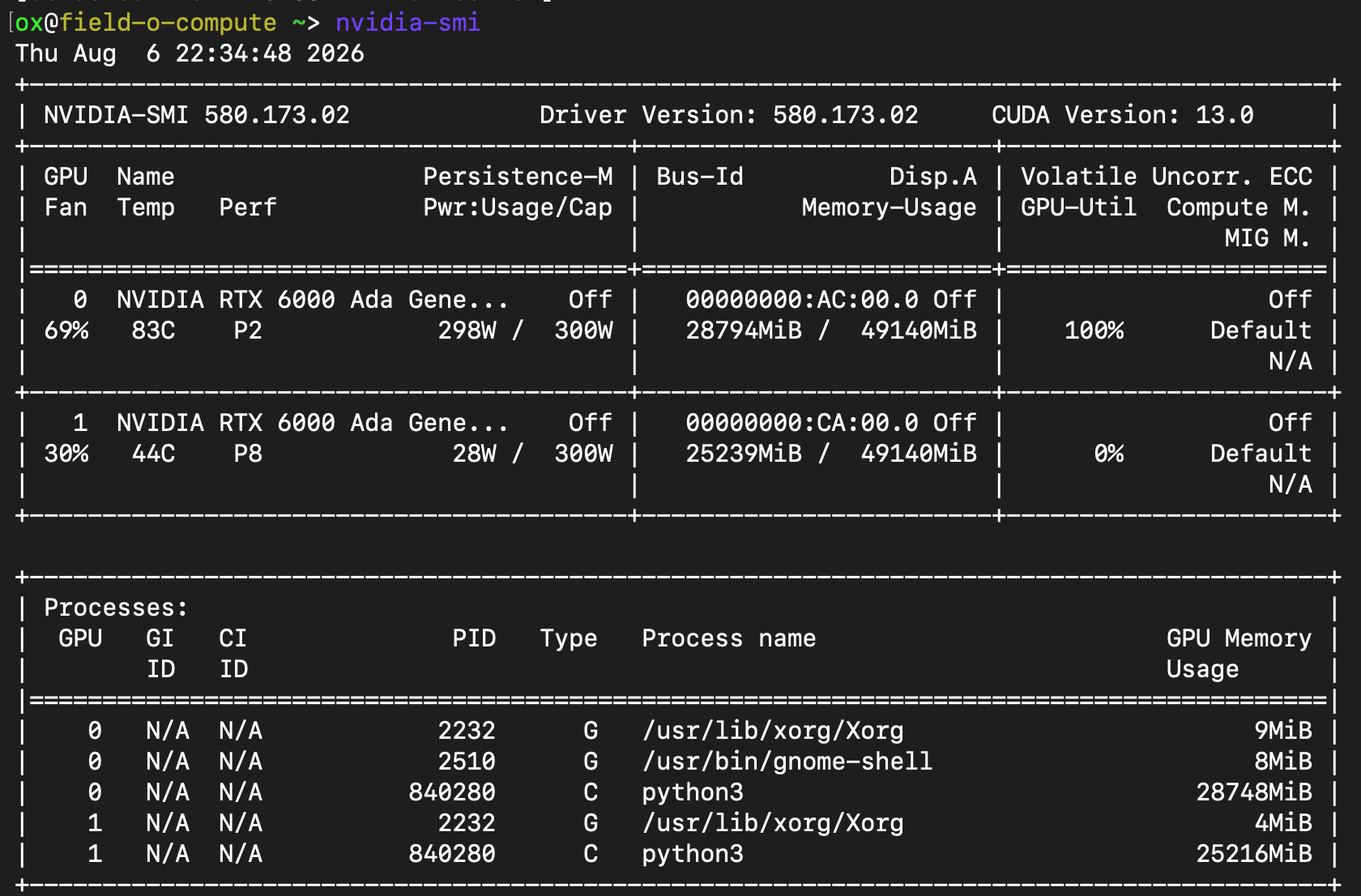
One of the best parts of this model, is that you can run it locally. To run this model locally - you’re going to want at least 50-60GB of VRAM. For my setup I have 2x48GB on A6000s, so I split the DiT onto one GPU and Text Encoder and VAEs onto another.
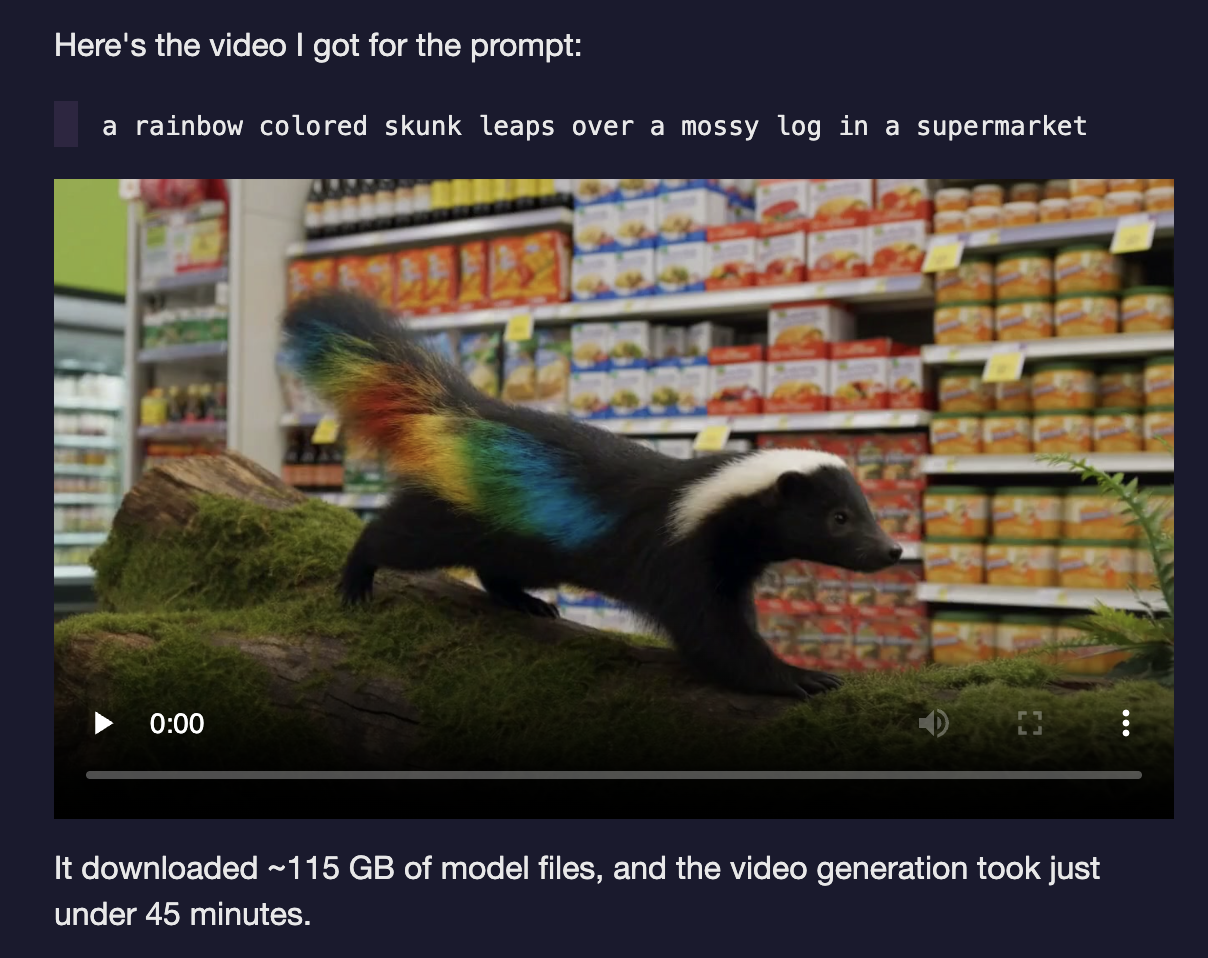
People are even getting this model to run on Apple Silicon: https://simonwillison.net/2026/Aug/4/minimax-h3-mlx/
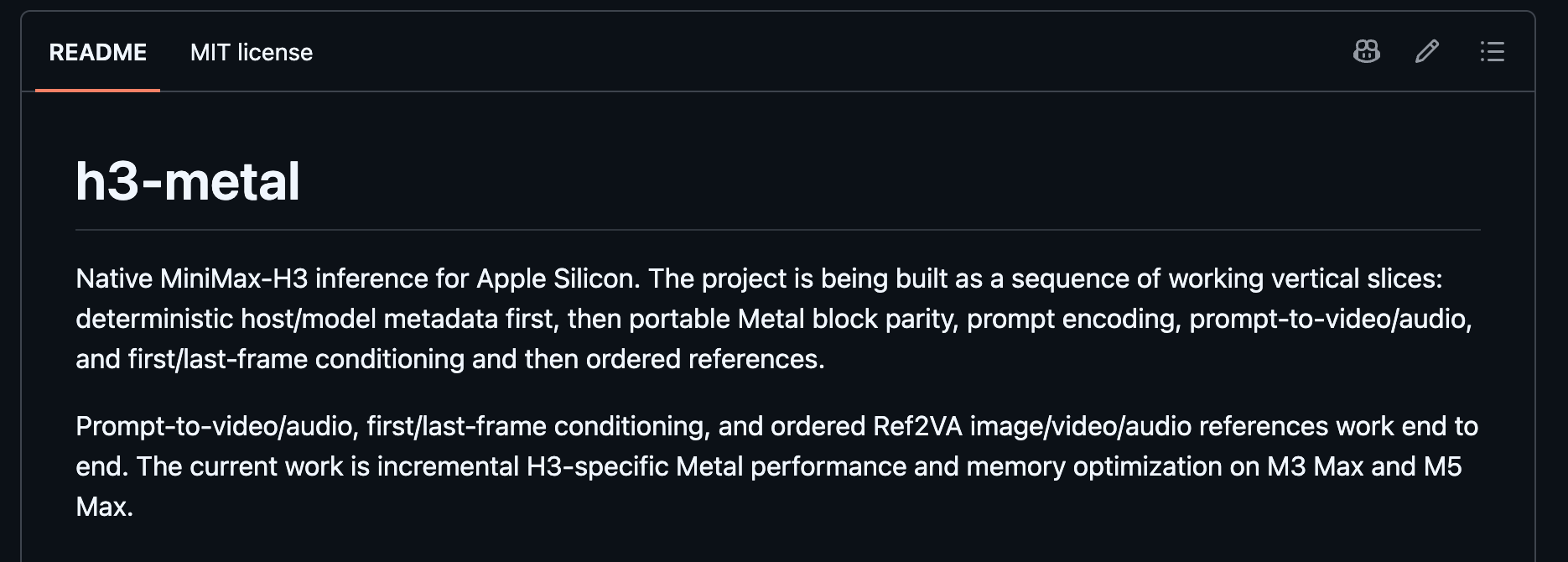
H3.c is another github repo with a command-line tool and C library, facilitating model execution through Apple's Metal GPU library. This is the power of open source - you start getting optimizations like this from the community for free.
Here is a nice little UI, CLI and Server that I vibe coded to interact with the model on my GPUs:
 gschoeni
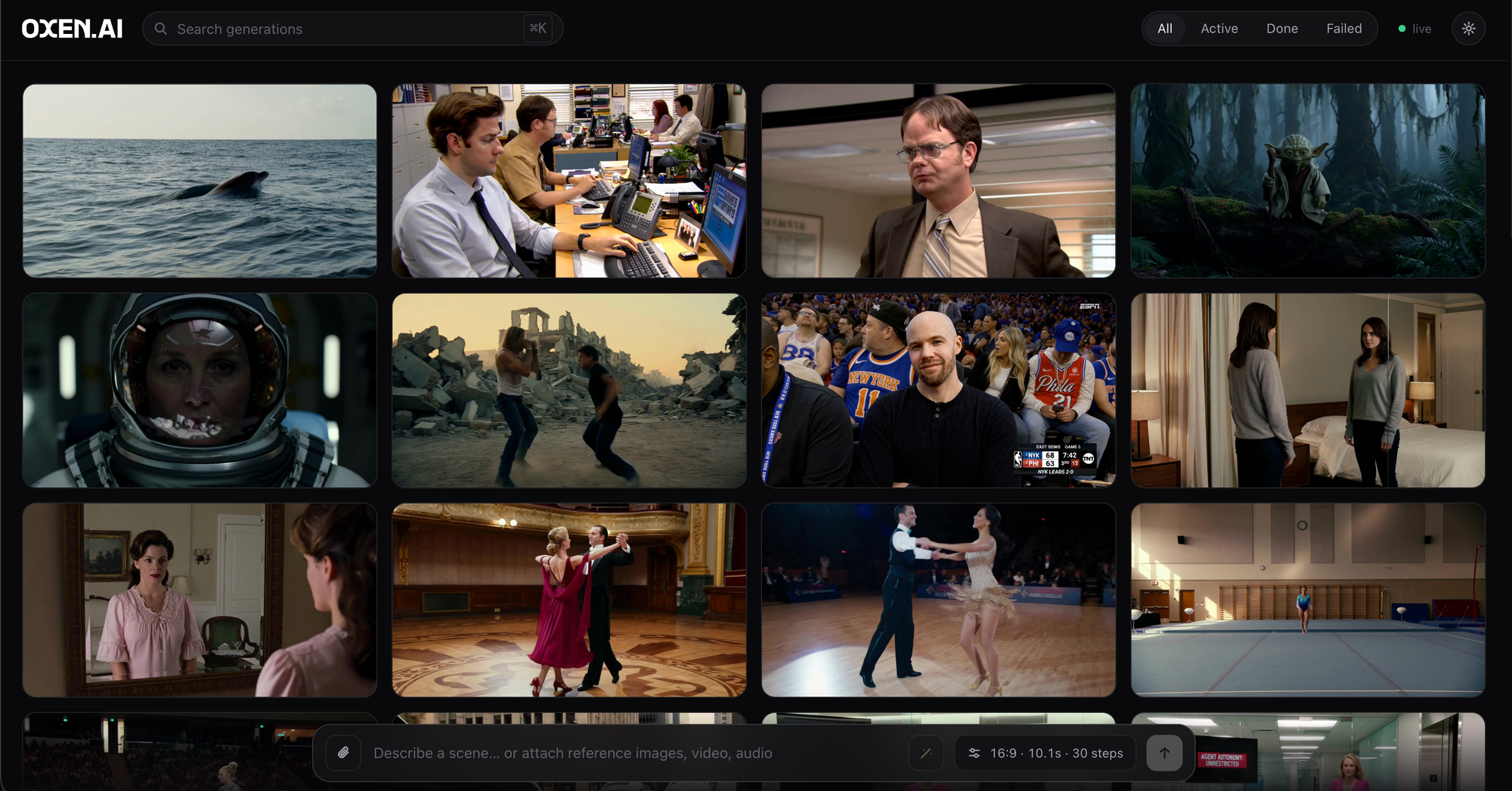
From the screenshot, you can see the variety of capabilities of the model alone.
H3 has only been out for about a week, and the community is already modifying nearly every layer of the stack.
Here's a few more highlights:
- Running in as few as 4 sampling steps instead of the usual ~20 — a ~5× sampling speedup: https://huggingface.co/larryvrh/MiniMax-H3-Turbo-Lora
- A dedicated H3 prompt-rewriter LoRA: https://huggingface.co/lightx2v/MiniMax-H3-Prompt-Rewriter-LoRA
- Running H3 on tiny amounts of VRAM (8GB): https://huggingface.co/DiffSynth-Studio/MiniMax-H3-NF4
Advanced ComfyUI Workflows
ComfyUI is another great way to run the model locally. If you want to watch one of or friend Fill's (@Machinedelusion's) crazy workflows - skip to 32:00 of our last youtube deep dive. He shows some incredible synced audio + video workflows.
These custom nodes let you schedule prompts to the beat of a song and use H3 to generate sequences around the music. He's still hacking on it and I'm sure has more to share soon.
Fine-Tuning This Model
It's exciting to run the model on your own hardware, it's even more exciting to teach the model new behavior. If the model does not do something well out of the gate, we can train a LoRA to achieve the look, style, motion, or character we need. Prompting only gives you so much control, training unlocks a whole set of new use cases.
In a part 2 of this post (coming soon!), we will be digging into training LoRAs for this model. The trainer is live on Oxen.ai. All you have to do is upload your data, caption it, and kick off a job. We'll handle the infrastructure, version your data, and give you a set of model weights back. You can also deploy the trained model to a dedicated endpoint for inference after training.
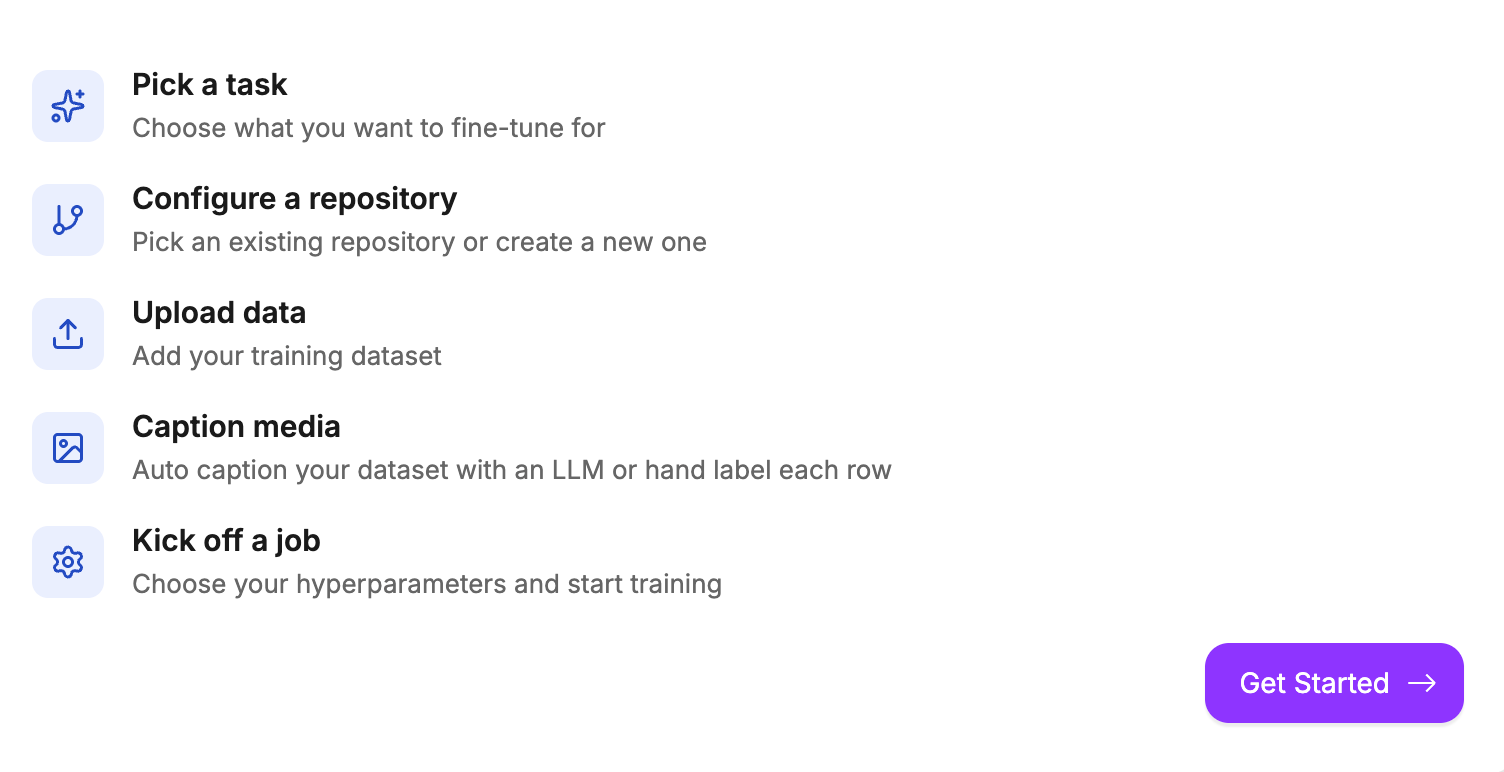
Feel free to try it on your data, or wait until part two of this post for a step by step walk through!
What's Next?
Now it's your time to shine. If you made it this far, we want to reward you. Reach out to hello@oxen.ai with your use case for MiniMax H3 and mention this blog post. We'll give you $30 of credits to try the model through the API or fine-tune it yourself.
We're excited to see what you create!
~ Greg & The Oxen.ai Herd