
Oxen's Model Report


Welcome to this week's Oxen moooodel report. We know the AI space moves like crazy. There's a new model, paper, podcast, or hot take every single day. To help y'all keep up, we're starting this little series where we cover new releases and show example outputs of them right on Oxen.
On Today’s Models Menu:
- FLUX.2 Klein 4B & 9B (Black Forest Labs) — Open-source, fine-tunable text-to-image
- Grok Imagine (xAI) — Text-to-image, image editing, image-to-video, video editing
- Kling O3 Pro (Kling) — Image-to-video and reference-to-video with audio
- Claude Opus 4.6 (Anthropic) — The brain behind this newsletter
Plus, we share with you the podcast the Oxen.ai team loved the most this week.
Let’s Get Into It:
FLUX.2 Klein 4B (Black Forest Labs)
A compact 4 billion parameter text-to-image diffusion model built for fast inference. Fine-tunable, which is the real draw here.
We asked Claude sonnet 4.6 (that is also on this report) to generate a nice prompt to put these models to the test:
We first generate an image with a simple prompt: "A cozy bookshop on a rainy London street at night, a neon 'OPEN' sign glowing in the window, chalkboard menu on the sidewalk reading 'Hot Coffee Inside', warm light spilling onto wet cobblestones"
Then we take that output and edit it with this prompt: Make it snowing instead of raining
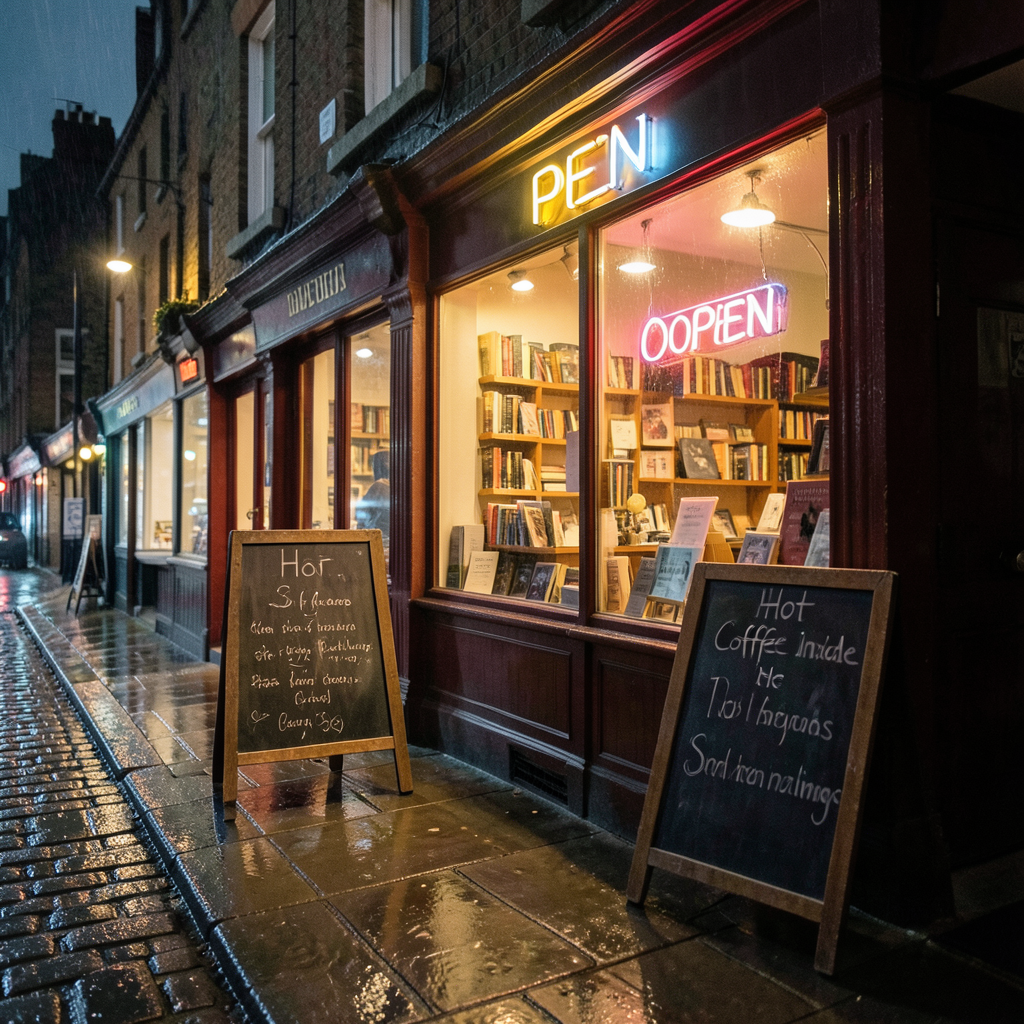
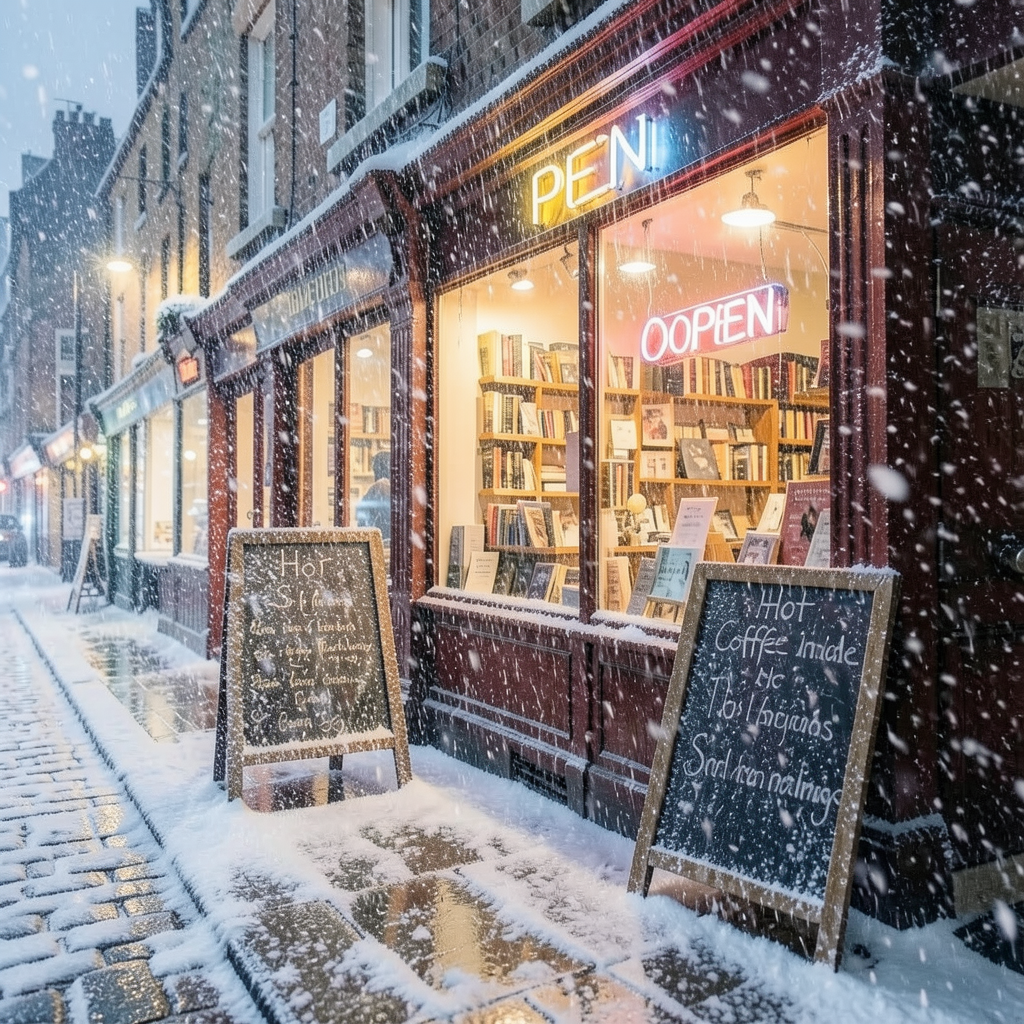
Image generation / Image editing
The atmosphere is spot on. Wet pavement reflections, warm light spilling out of the shop, bookshelves visible through the window. For a 4B model, the scene composition and lighting are genuinely impressive. The text is rough though. "OOPEN" on the neon sign, chalkboards that start strong and devolve into gibberish. It knows text should be there but can't hold it together past a few words.
The image edit is pretty astonishing. The scene structure held up completely (even the messed up text). Same bookshop, same composition, but the whole atmosphere shifted. Snow piling up on the chalkboard edges and windowsill, wet pavement turned to slushy cobblestone. The falling snow even has depth to it, larger flakes up front, finer ones in the back. Pretty amazing result for such a small model...
Here's the thing: both of these generated in seconds. And this model is fine-tunable. If you need fast iterations, quick prototyping, or you want to fine-tune on your own data to get maximum cost efficiency out of a small model, Klein 4B is a seriously practical starting point.
FLUX.2 Klein 9B (Black Forest Labs)
Let's look at the same experiments:
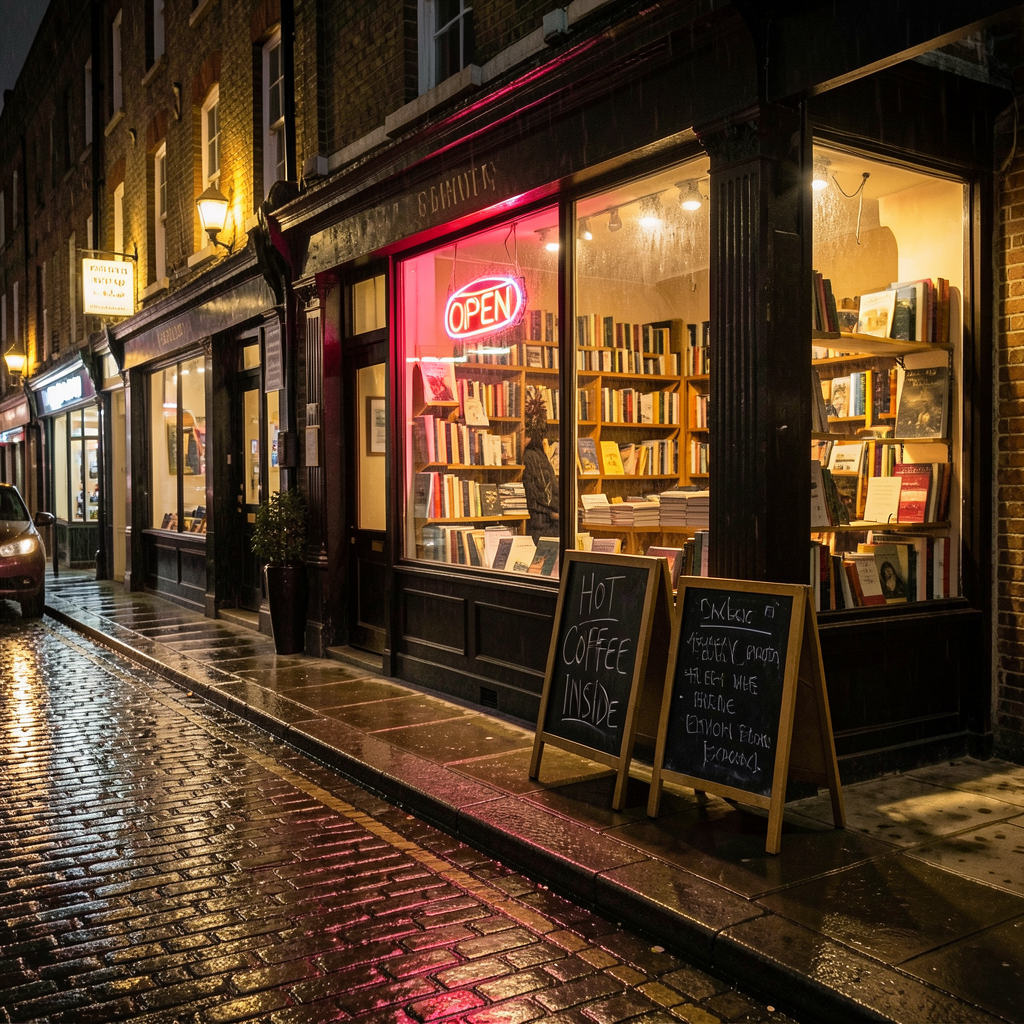
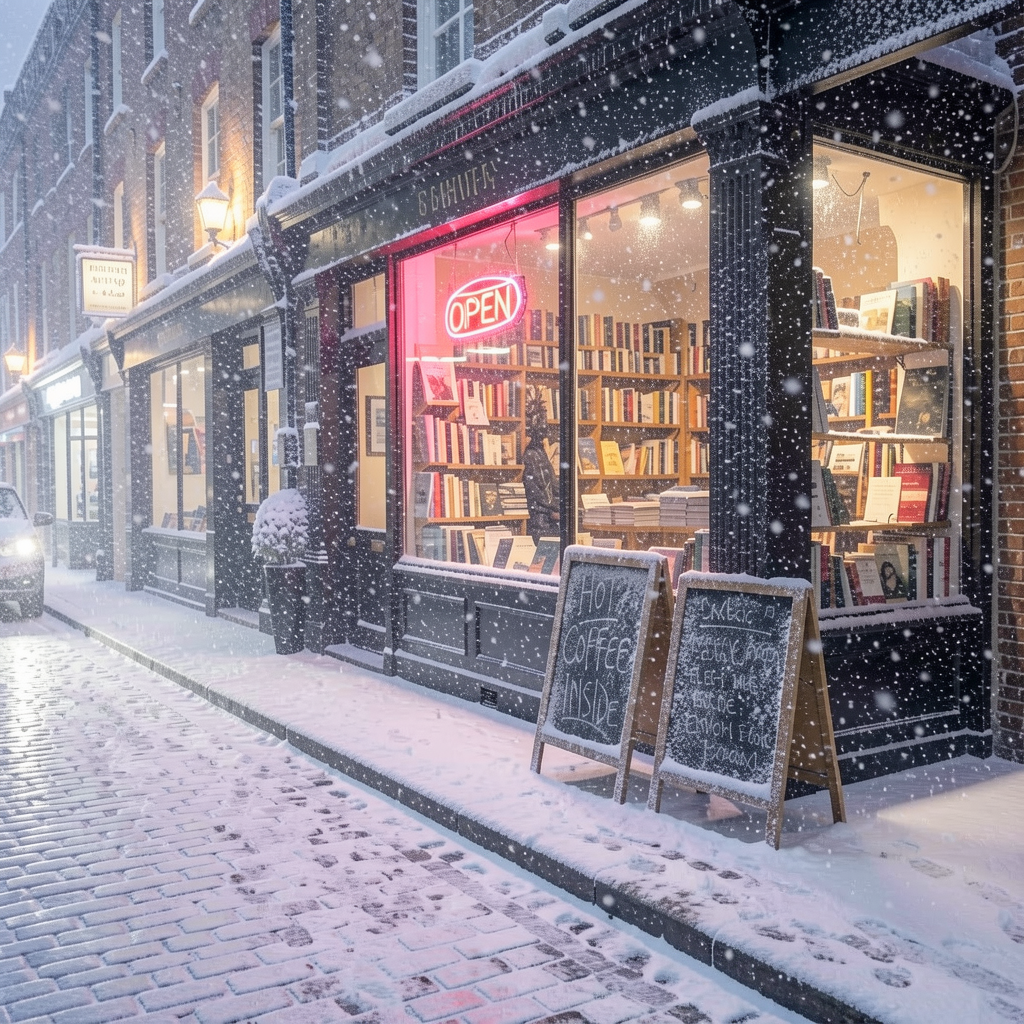
Image generation / Image editing
Same architecture, same fine-tunability, but 9 billion parameters. The question is whether the extra headroom makes a real difference. I would say it does!
The neon sign now correctly reads "OPEN" (no more "OOPEN"), and the left chalkboard clearly says "HOT COFFEE INSIDE.". The right chalkboard still devolves into gibberish, so it's not perfect. Beyond text, everything is sharper. The brick texture, the wet cobblestone reflections with that warm orange glow, the individual books visible through the window.
The snow edit is pretty excellent as well. Scene structure fully preserved, snow accumulating on rooftops, chalkboards, and cobblestones. The text that was legible before still is. The lighting cooled down properly and the snow depth looks natural. Also we see some nice footsteps and the lighting from the car is pretty realistic!
Which one to choose? It depends on how much you want to optimize for cost I would say, but fortunately running experiments on Oxen.ai is really cheap and fast so you can gauge cost/performance in practice in a few minutes!
Grok Imagine - Text to Image (xAI)
This is a closed-source model so we don't have exact parameter counts, but based on the output quality and xAI's infrastructure we'd estimate this is significantly (very significantly) larger than the Klein models. It's also more expensive to run since you're paying per API request rather than running an open-source model on your own hardware. So you'd expect it to be better. And it is.
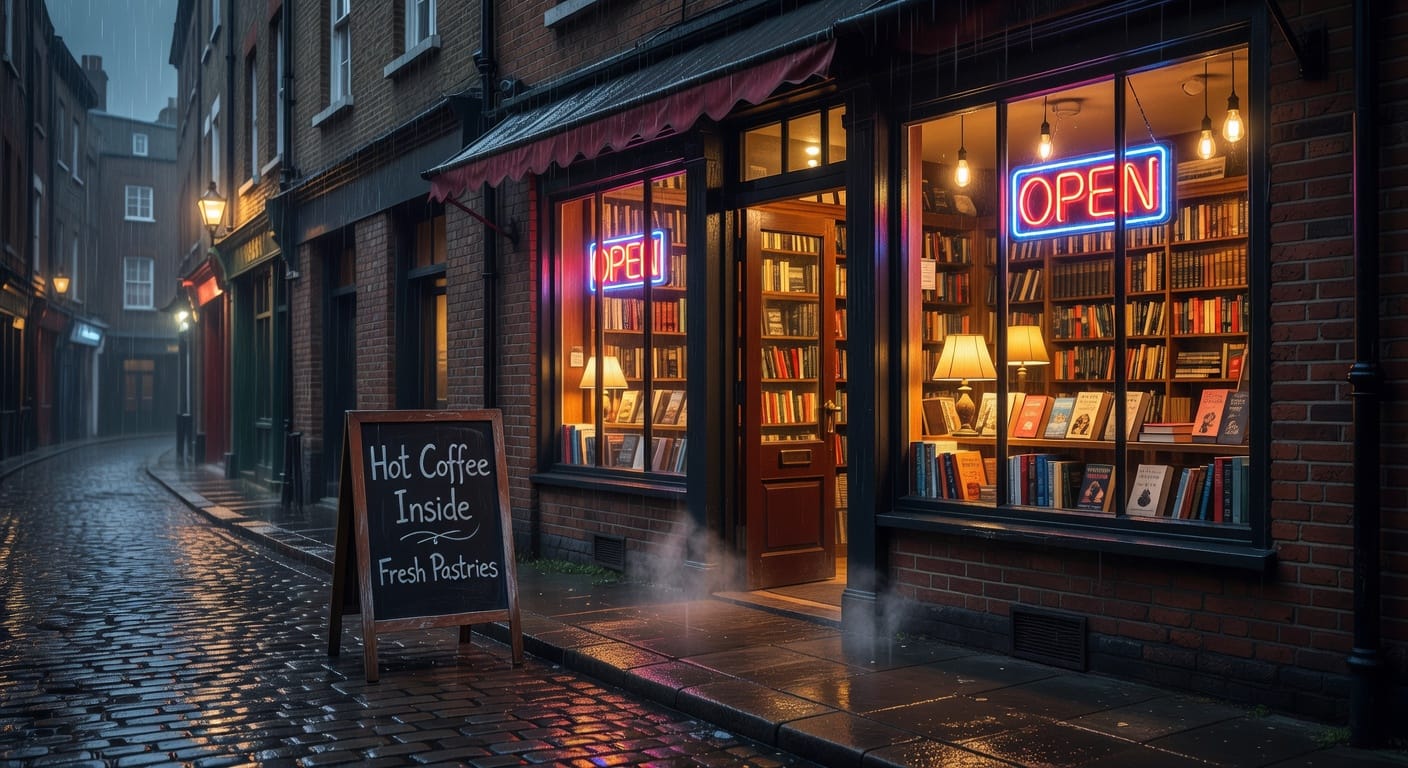
Every piece of text in this image is legible. The neon "OPEN" sign is clean with a blue border and red lettering. The chalkboard reads "Hot Coffee Inside" and "Fresh Pastries" (it even added that second line on its own, which is a nice creative touch). Two neon signs, one chalkboard, zero gibberish. Text rendering is basically solved here.
The image is clearly sharper, but it still doesn't look photorealistic, the book covers are pretty good and the water effect and lighting are excelent. nothing much to say!
The tradeoff? No fine-tuning, closed source, and you're paying per request. That matters more than you'd think. If you need to generate images of something outside the training distribution, like a specific product you're marketing, your brand's visual style, or a character that needs to stay consistent across a campaign, you can't teach Grok Imagine to do that. You're locked into what the base model knows. With Klein you can fine-tune for your exact use case. With Grok you get better defaults but no customization.
Grok Imagine Image Edit (xAI)
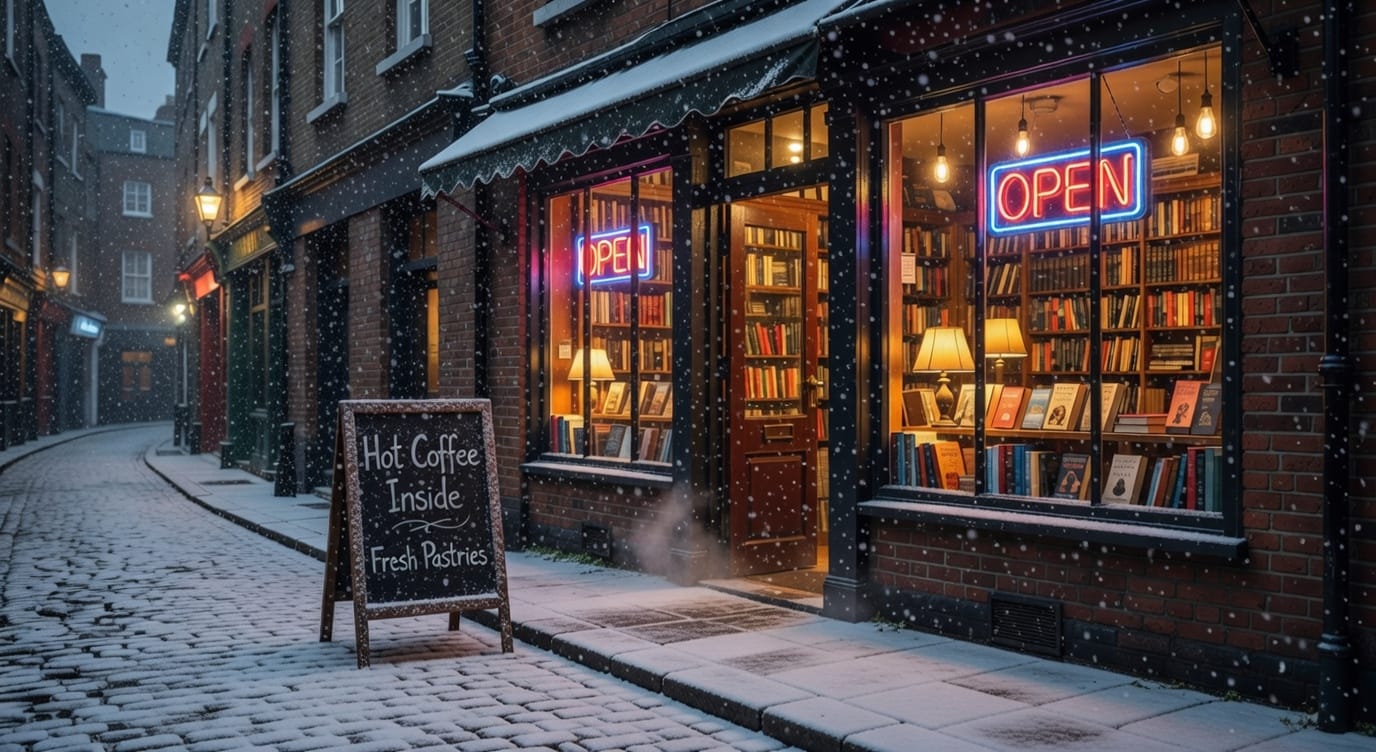
Same deal: closed source, big lab model. Interestingly, I don't think the output is as good as the Klein models. It has the same cartoony quality as the image generation model, and the snow looks more like a filter than an actual edit.
Grok Imagine Image-to-Video (xAI)
Onto the fun part: video models. As the name suggests, we can pass a reference image along with a prompt to generate a video. Let's use the rainy bookshop street that the Grok Imagine text-to-image model generated as our input.
The reference image is clearly there, but once again the scene looks cartoony. The rain physics are off, and there's a person walking in circles. Generating good video is tough, especially if you can't fine-tune, but this result is underwhelming.
Grok Imagine Video Edit (xAI)
Let's try the same exercise: swapping rain for snow. We'll pass the video that Grok Imagine image-to-video generated as a reference.
Not great. Once again, getting good video output generally requires fine-tuning (which isn't possible with this model) or very carefully prompting specific scenes. For these types of tasks, experimentation is key: different models, different prompts, different references. We'd love to hear if you've had a different experience with these xAI video models!
One thing worth noting: Grok Imagine is fast. Around 5 seconds for image generation and 20 seconds for video. That's especially impressive compared to the Kling model series, as we'll see soon.
Kling O3 Pro: Image-to-Video (Kling)
Onto a model series that has gotten a crazy amount of hype lately. Kling can generate videos up to 15 seconds long, with audio. We'll use the image output of FLUX.2 Klein 9B as a reference for this video generation. Let's see what we get with the same simple prompt.
The quality here is a clear step up. Both video and audio are impressive. There's a man in the background coming out of a store and walking down the street, and he actually looks natural. With nothing more than a simple prompt and a reference image, Kling's output is noticeably more photorealistic than xAI's.
One small detail: it took 5 minutes to generate this 6-second clip. Pick your poison.
Kling O3 Pro Reference-to-Video (Kling)
Kling also has a "Reference to Video" mode. Unlike standard image-to-video where you pass a single image as a starting frame, here you can pass multiple reference images and compose them together in your prompt. Think "@person is holding @product" where each reference is a separate image. This is useful for keeping characters, objects, and styles consistent across scenes, something that's notoriously hard with video generation.
We asked FLUX.2 Klein 9B to generate a man in a red suit with a funky umbrella against a white background, from both the front and the side, to use as references for Kling. This is what we got.

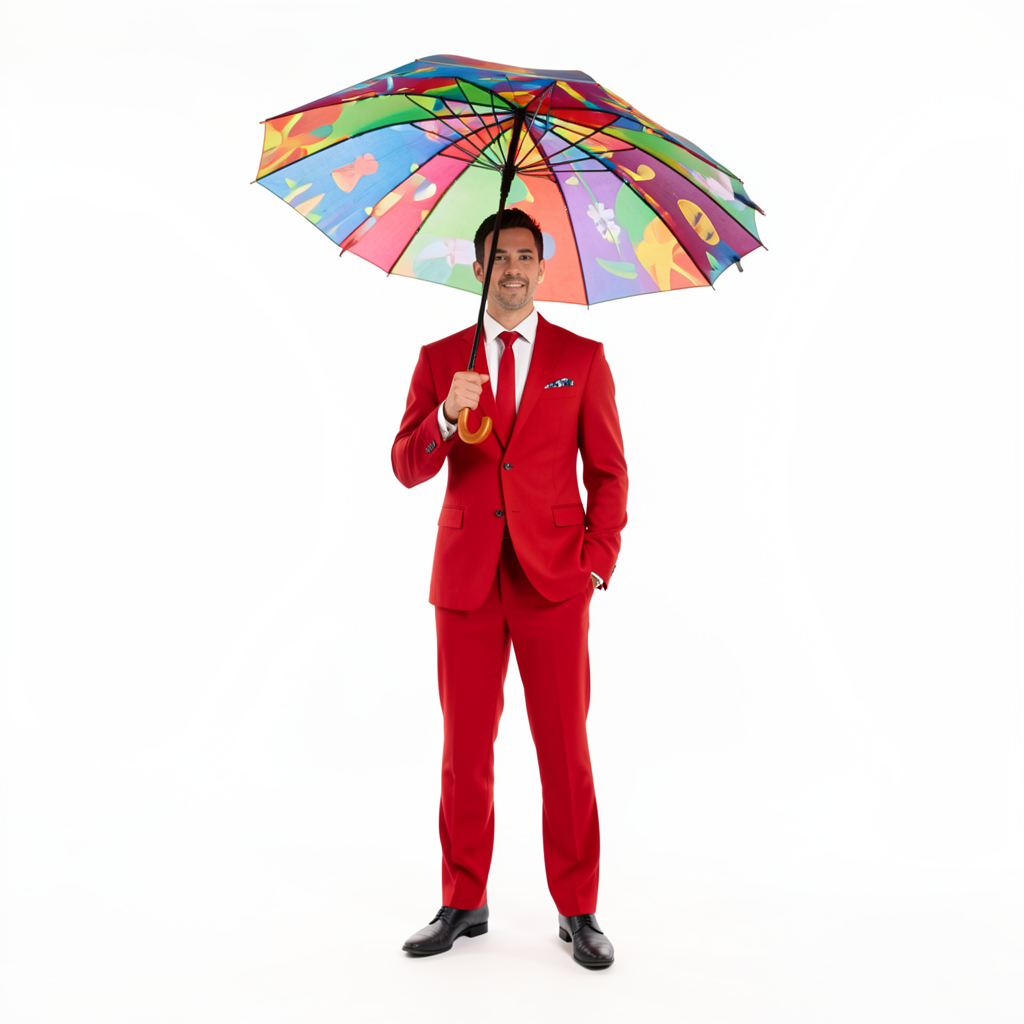
It looks like our friend here has 2 left arms, i decided it to leave it as is to see how good Kling is at keeping the reference.
Little note: these Kling models can take both start and end frames, we're just using start frames for this experiment, but you can easily pass both in our new Oxen.ai Playground!
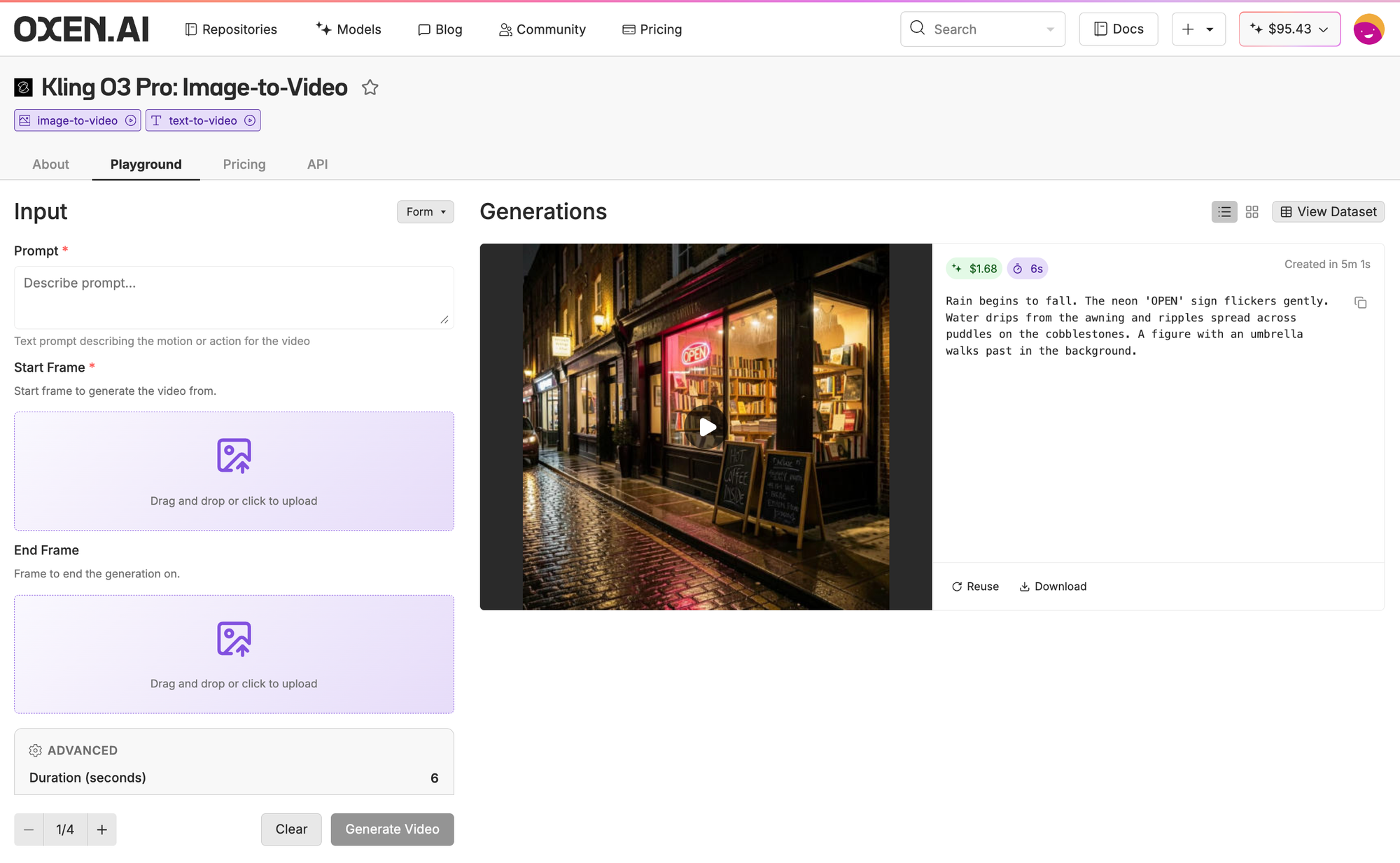
For this experiment, we passed the rainy bookshop image from Klein 9B as @image1 and our red suit guy as @element1, then asked Kling to show him walking down the street in front of the bookshop.
Surprisingly good. Kling dropped his second left arm, but that's expected. There probably weren't a lot of three-armed people in the pretraining distribution. If you really wanted to generate three-armed people (i'm not judging), fine-tuning an open-source video model would likely be the way to go.
Other than that, the character and background are very consistent, and everything looks photorealistic and sharp. Impressive.
Claude Opus 4.6 (Anthropic)
Different lane entirely. Anthropic's most advanced model for coding, agentic workflows, computer use, reasoning, math, and domain expertise. Handles text-to-text and image-to-text (and you can try it out on Oxena.ai!).
We used it to generate and refine every prompt in this newsletter, and I've been personally using it as my go-to coding agent on Claude Code. It's pretty awesome and I'd recommend it anytime.
Podcast of the week
The AI space is loud. Everyone has a podcast, everyone has a take. We want to use this corner of the Model Report to cut through the noise and share one podcast each week that the Oxen.ai team genuinely loved, and that we think is informative and worth your time.
This week: Lex Fridman's State of AI in 2026 with Sebastian Raschka and Nathan Lambert. Raschka literally wrote the book on building LLMs from scratch, and Lambert leads post-training at the Allen Institute for AI. The conversation covers everything from open-source models, to scaling laws, to whether AGI means one massive general-purpose model or a constellation of domain-specific ones. It's 4.5 hours long, but given the caliber of these two, that's not surprising. If you care about where AI is headed, this is worth your time.
No Bull, All Ox
Thanks for reading! We hope you found this useful. We'll be sending these out weekly to help you navigate this noisy AI world.
Also, in case you haven't herd, we run a weekly live Zoom session called Fine-Tuning Friday, where we show the power of fine-tuning open-source models and how they can sometimes beat much larger closed-source ones. If you want to join us live, sign up on our Luma calendar. Here's a recording of our latest session if you want to see what we hack on.
See you next time! Bloxy out.

Member discussion