
GPT Image 2.6 is Live on Oxen.ai
Last week, OpenAI released its latest image generation model, GPT Image 2.6, and it's a big one. It can now output animated GIFs and SVGs, not just flat images. It's also much easier to direct. Skip the paragraph-long prompt and draw right on the image to show the model exactly what to change. Show, don't tell.
For example, look how easy it is to change our oversized dog to look in the mirror, and change the text on the grill. All you have to do is draw and let the model do the rest.
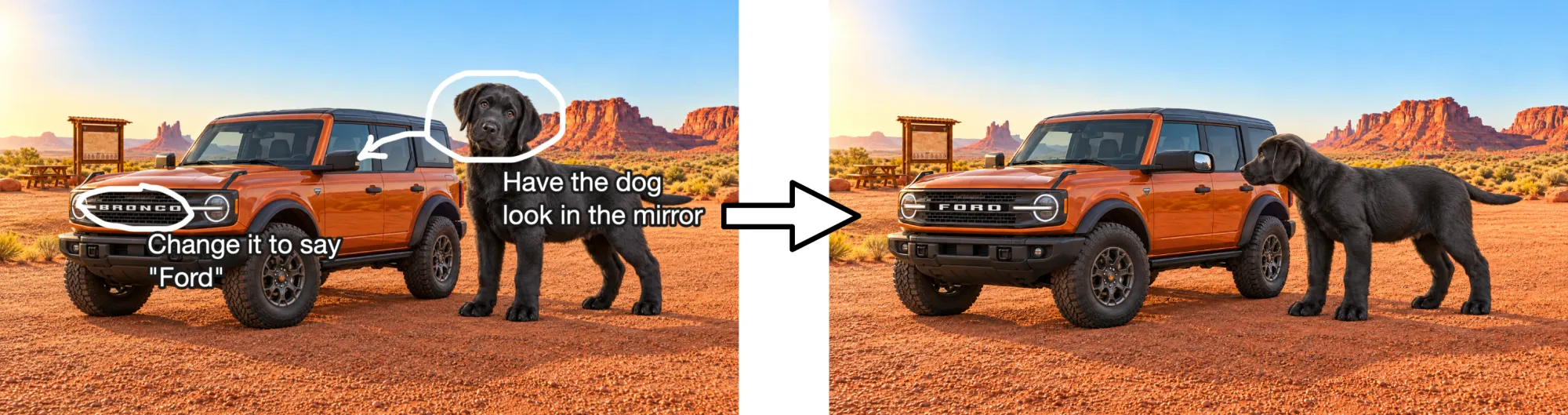
Easier than getting a puppy to do it in real life. Let alone, finding a puppy that large. If you'd learn how to use the model in video form, feel free to follow along here:
What's New
There's a lot to love about these new models.
- Two models. Same as 2.5. Flare for when you want fast iterations. Sunburst when you care about detail, consistency, and quality.
- GIFs and SVGs. Animate the frames of your image with a GIF, or have the model output code for an SVG.
- Markup. Draw arrows, circles, and leave notes on the image to tell the model what you want. The model reads these as instructions.
- Masks with pixel locking. Paint the area to change, and lock in all the pixels around it. You can also optionally have the model regenerate the whole frame with the mask as guidance.
- Any much more. Up to 16 reference images, transparent backgrounds, and many different quality tiers.
We're going to run some fun prompts through to explore the model capabilities. Let's dig in.
Flare or Sunburst?
The first question we usually get asked is: what is the difference between Flare and Sunburst? The answer is typically: use Flare for quick ideation exploration, and Sunburst to finish. Both models take in the exact same inputs and support every output format. The difference is in output quality and speed.
GPT Image 2.6 Flare is the fast model. OpenAI says Flare can return an image in as little as 6 seconds on it's lowest quality setting. This makes it great for story boarding, thumbnails, and cranking out 20 ideas for your social post.
GPT Image 2.6 Sunburst is the perfectionist. When you turn up the quality to medium and high it can hold details consistent across edits. Use this for high quality product photos, character sheets, detailed landscapes, and photo realism.
Two other knobs worth knowing are complexity and quality. Complexity is how much the model plans before generating. Think of this as a model behind the scenes re-writing your prompt for you, in more detail. Quality is how long the model spends on rendering the final picture. If your prompt is already detailed, you might want to lower the complexity to avoid adding information you did not intend. If you want to be lazy with your prompts, turn complexity up.
Text to Image
Let's have some fun exploring the capabilities. We're going to try some prompts that models tend to have a hard time with. Small text, labeled diagrams, tricky physics, and ultra-wide cinematic framing. Feel free to follow along by generating your own variations in the Oxen.ai Workbench.
Woolly Ox Diorama
A natural history museum diorama of a shaggy woolly ox grazing in a
miniature Ice Age valley, painted backdrop of glaciers, warm gallery
spotlights, glass reflections. In the foreground, a small brass exhibit
placard reads: "BOS DATASETUS. Late Pleistocene. Famous for hauling
enormous loads of training data across the tundra."
Sunburst, 4:3, 2K, High.
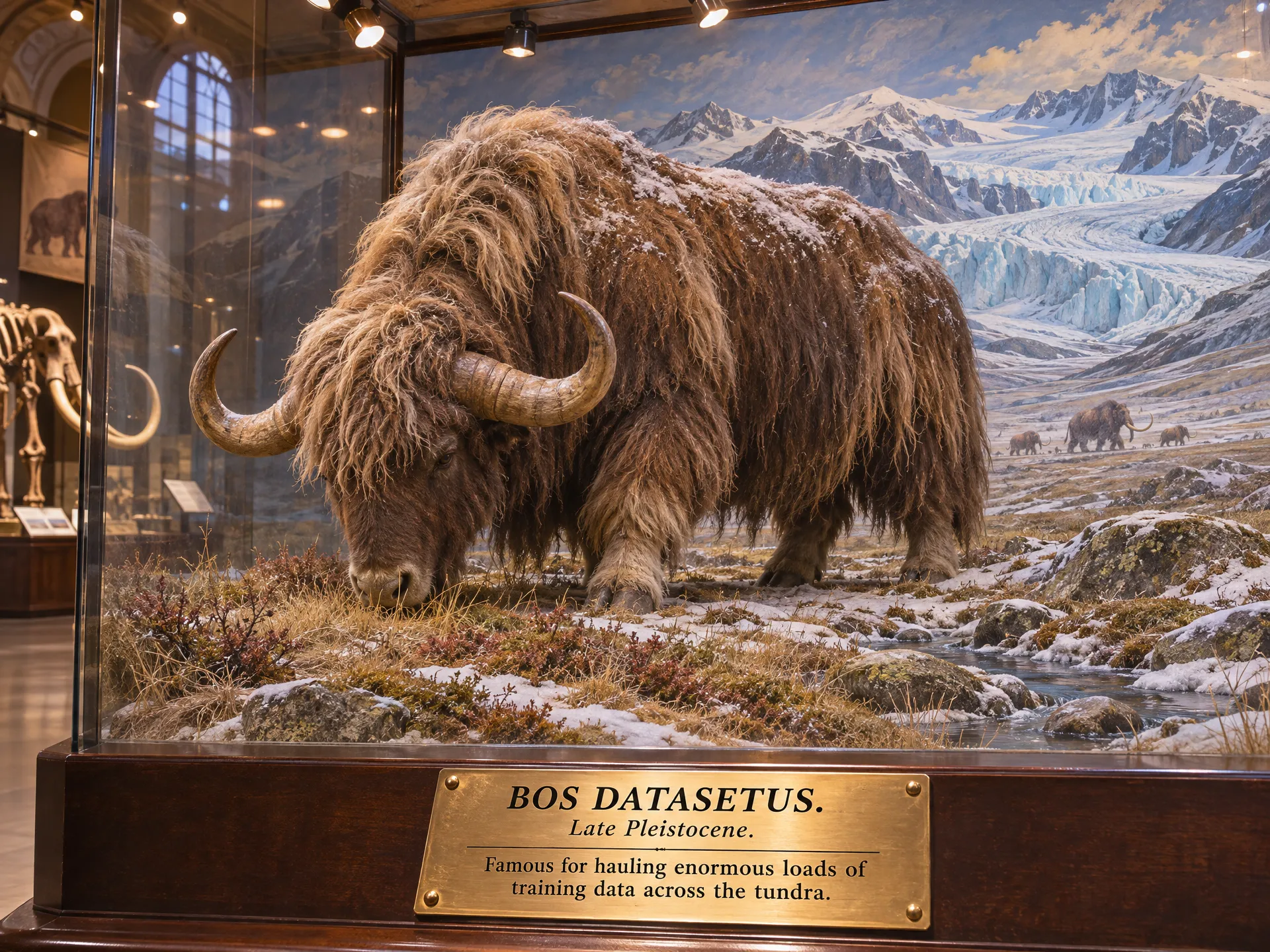
Looks like it nailed the text and the metallic material of the plaque. I also love the woolly mammoth's in the background. This guy could definitely carry a load of GPUs across Siberia. It has that high contrast-y GPT Image look to it still. But followed the instructions very well.
The Lighthouse Cutaway
A cross-section cutaway illustration of an old stone lighthouse that has
been converted into a five-floor bookstore. Each floor is labeled with a
clean callout line: "Basement: Used Paperbacks", "Floor 1: Cafe",
"Floor 2: Sci-Fi", "Floor 3: Maps & Atlases", "Lantern Room: Poetry".
Spiral staircase through the center, tiny readers on every level,
muted watercolor palette.
Sunburst, 9:16, 2K, High.
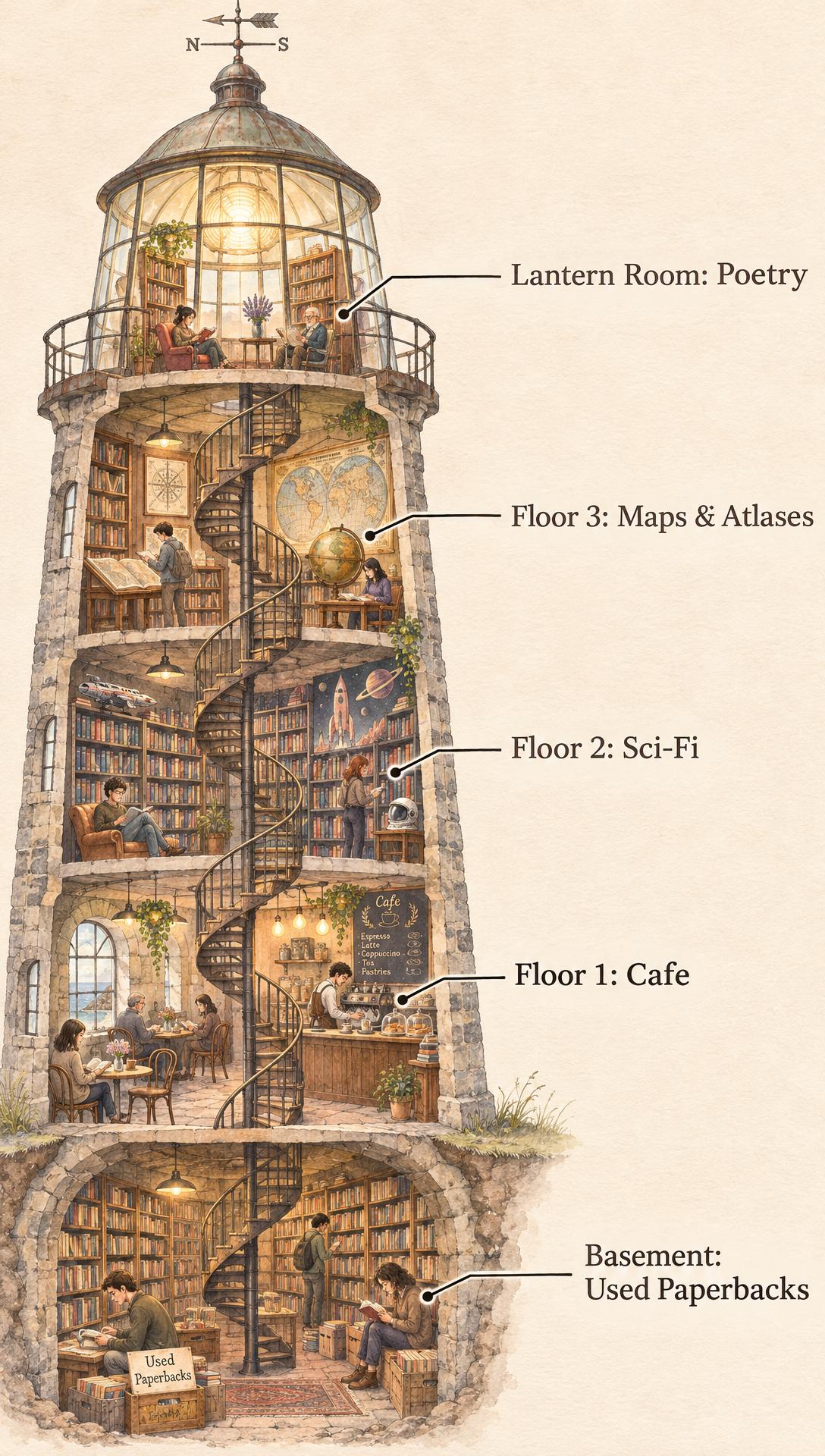
This looks great. It followed the instructions perfectly. I love the style, and I would read in this bookstore while looking out over the ocean anyday.
Snail Chess
Macro photograph of two garden snails playing chess on a tiny wooden
board balanced on a mossy log. One snail is mid-move, pushing a knight
with its head. Morning dew on the moss, slime trails catching the light,
shallow depth of field, soft overcast daylight.
Flare, 1:1, 1K, Medium.
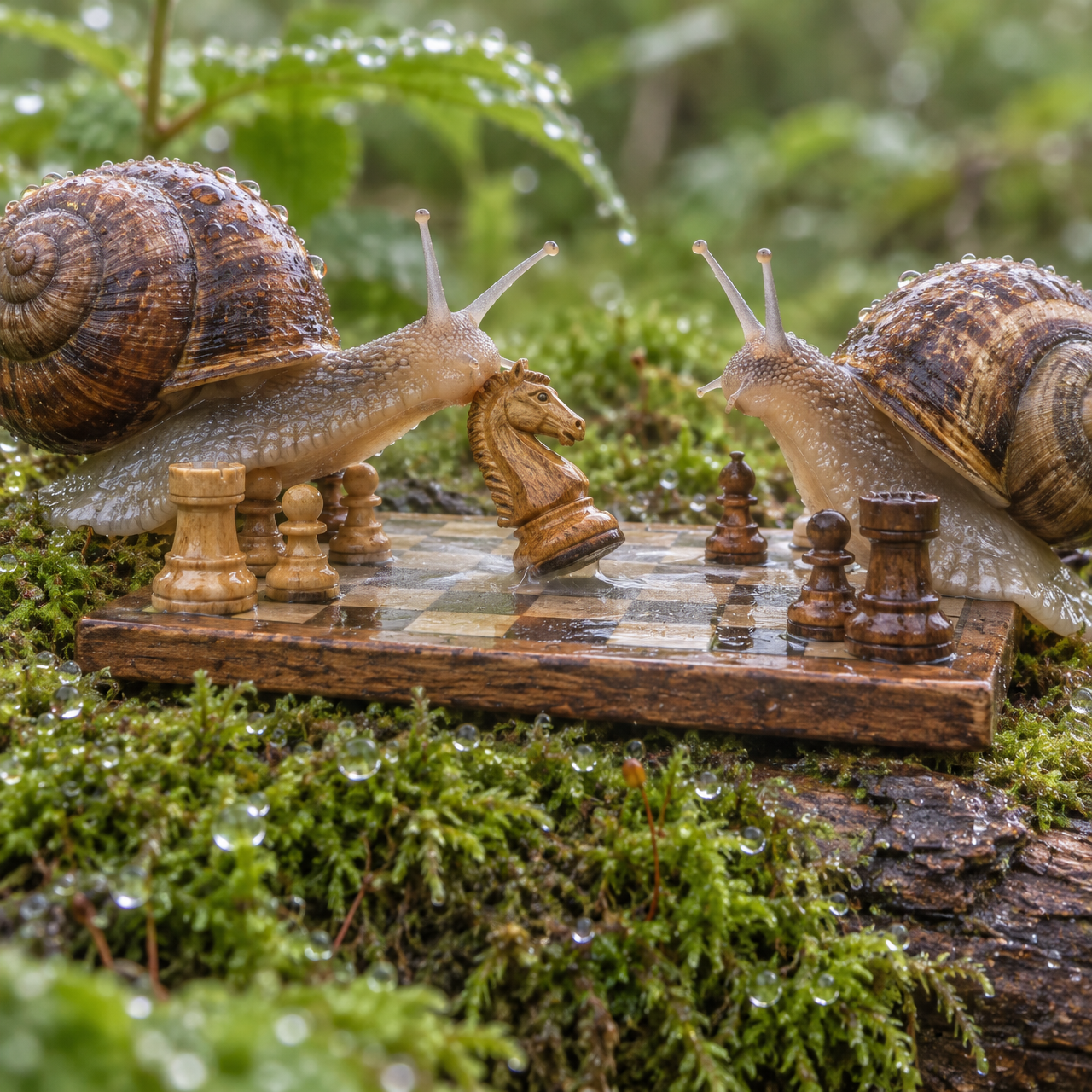
This is pretty much exactly what I picture a snail chess match to be. Slimy. Dewy. One snail completely disrespecting the other by sliding onto the board. Although the board is only 6x8 and I'm not sure where their other pieces are, maybe the rules of snail chess are different than human chess.
Tortoise City
Frame grab from a live-action feature film, shot on location at dusk. Ultra-wide, low angle from a wooden landing just above a wide, quiet canal. A boatman in a straw hat poles a skiff through the left foreground in sharp focus. A few noodle stalls with steam and dim paper lanterns sit on the far bank. Most of the frame is open water and overcast sky.

Three enormous living tortoises sleep in the shallows: one head rests near the stalls, a second lies across the water, a third is a faint shape lost in fog. Their skin is soft, fleshy and wrinkled like an elephant's, wet and dark at the waterline. A handful of small timber houses sit on each shell, sparse and uneven.

Flat, dim overcast light, slightly underexposed. Heavy haze swallows detail beyond the middle distance. Shallow depth of field, background soft.
Sunburst, 4K, Low Complexity
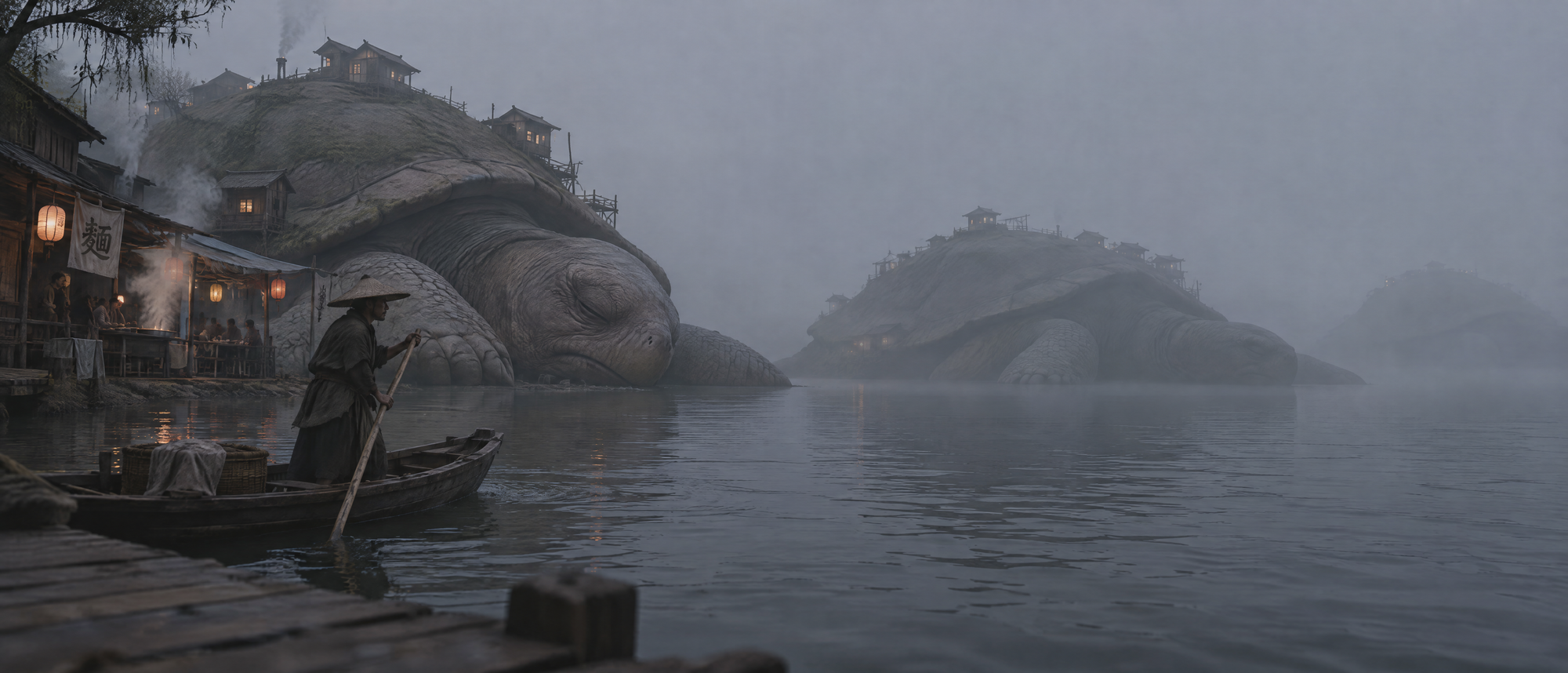
When your prompt is very detailed, this is where you might want to leverage a lower complexity value. That way the model is not adding too much extra information. Tortoise City looks sleepy, moody, and like you could get some steaming hot noodles between stops.
Animated GIFs
There's a whole app someone needs to build, simply on this functionality. Take any idea and turn it into an animated GIF to send to your friends or co-workers. All you have to do is change the output format to GIF, and two new knobs appear: frame count and frame duration. Use shorter frame duration to have smoother motion, and higher frame count for a longer animation.
Pixel Ox
An 8-bit pixel art sprite of a stocky brown ox with a tiny yoke,
walking in place from left to right. Classic side-scrolling game walk
cycle, flat sky blue background, crisp pixels, no blur.
8 frames, 100ms
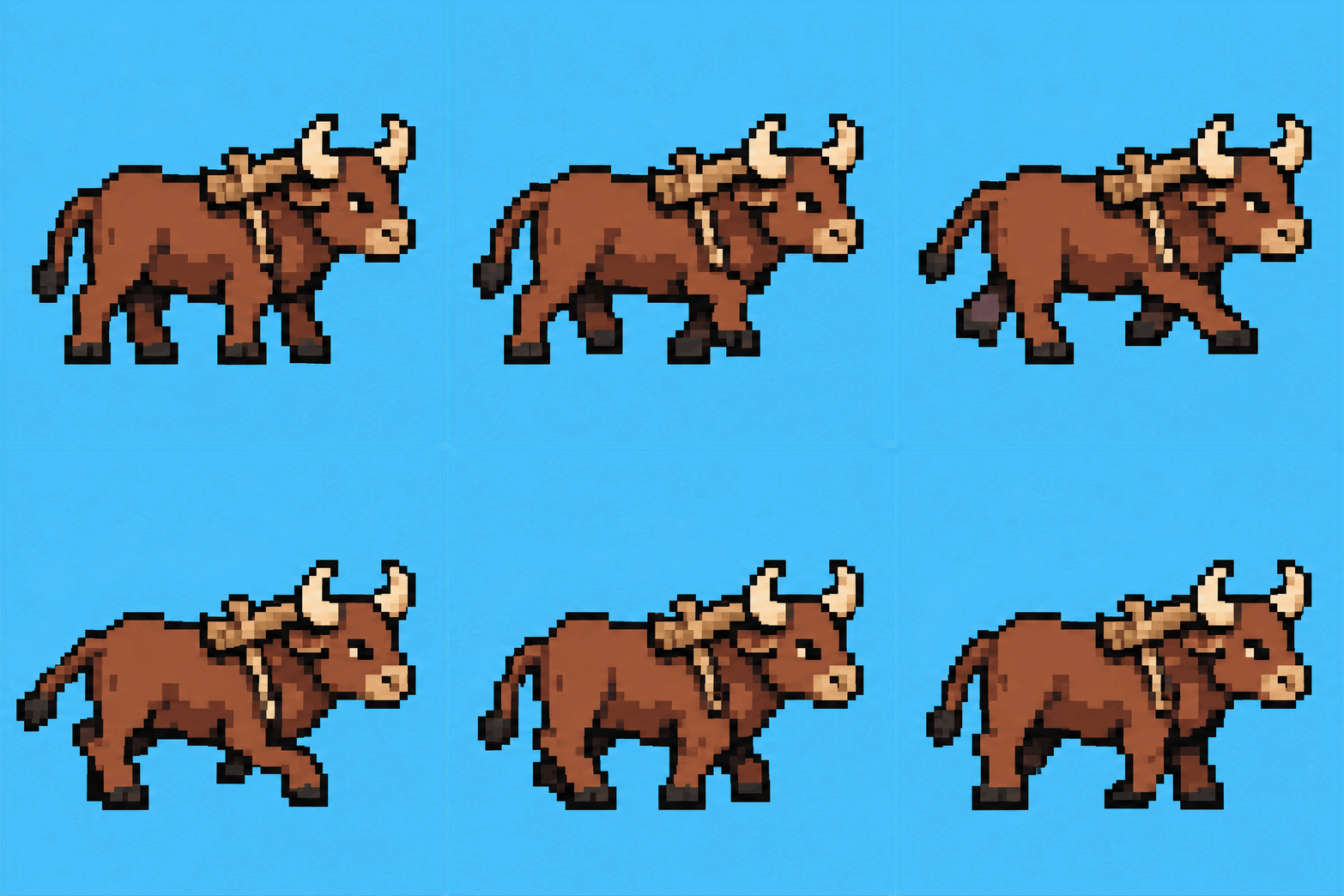
Game devs, this is a free placeholder sprite while your artist is busy.
Lava lamp
A retro 1970s lava lamp on a wooden side table in a dark room. Orange
wax blobs slowly rise, stretch, split and sink through purple liquid.
The lamp glows and casts warm light on the wall. Seamless loop.
16 frames, 150ms
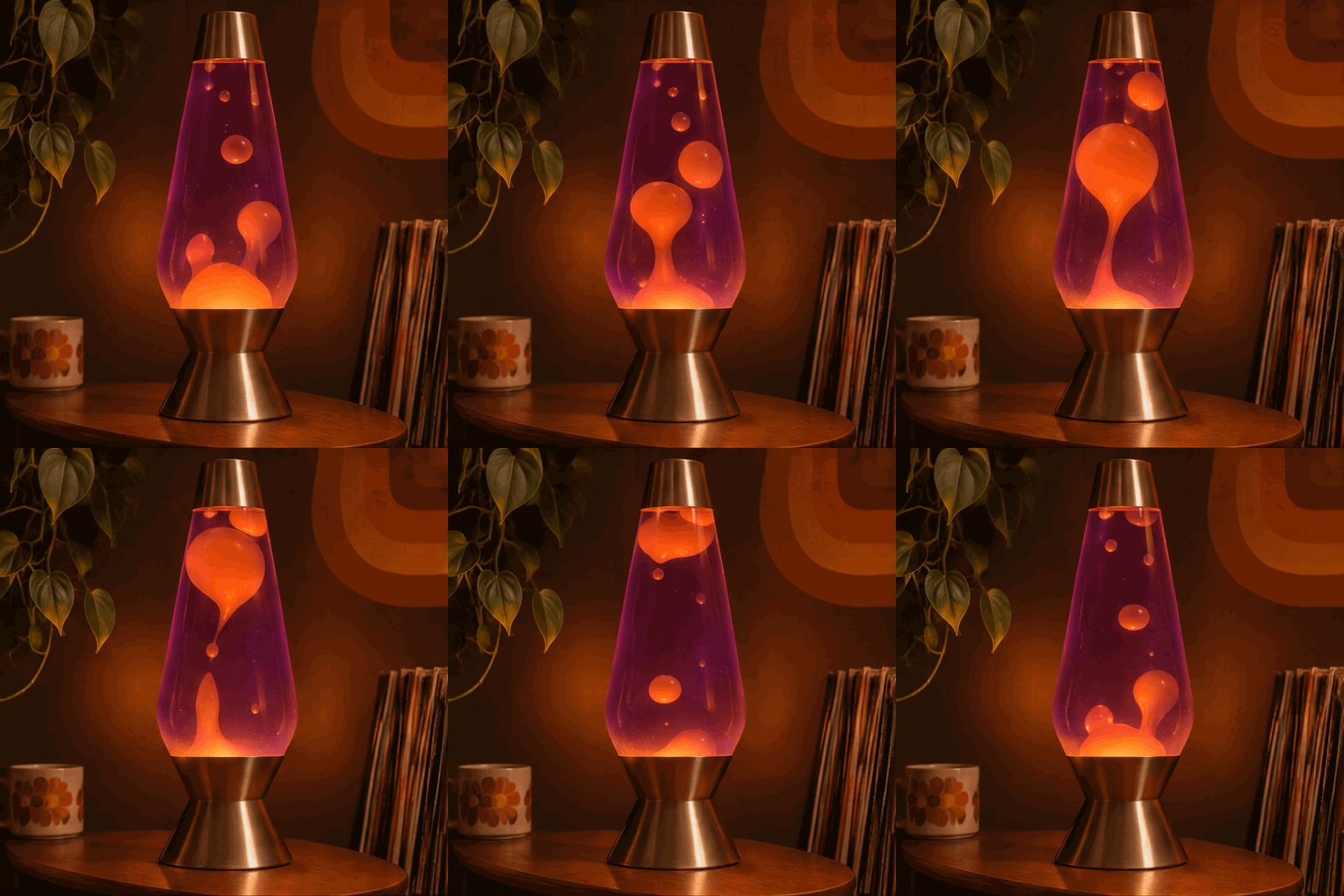
Look how well this one loops. It gives a funky retro look to the background as well. Could watch this on repeat. Here's what it looks like with 4 frames instead of 16.
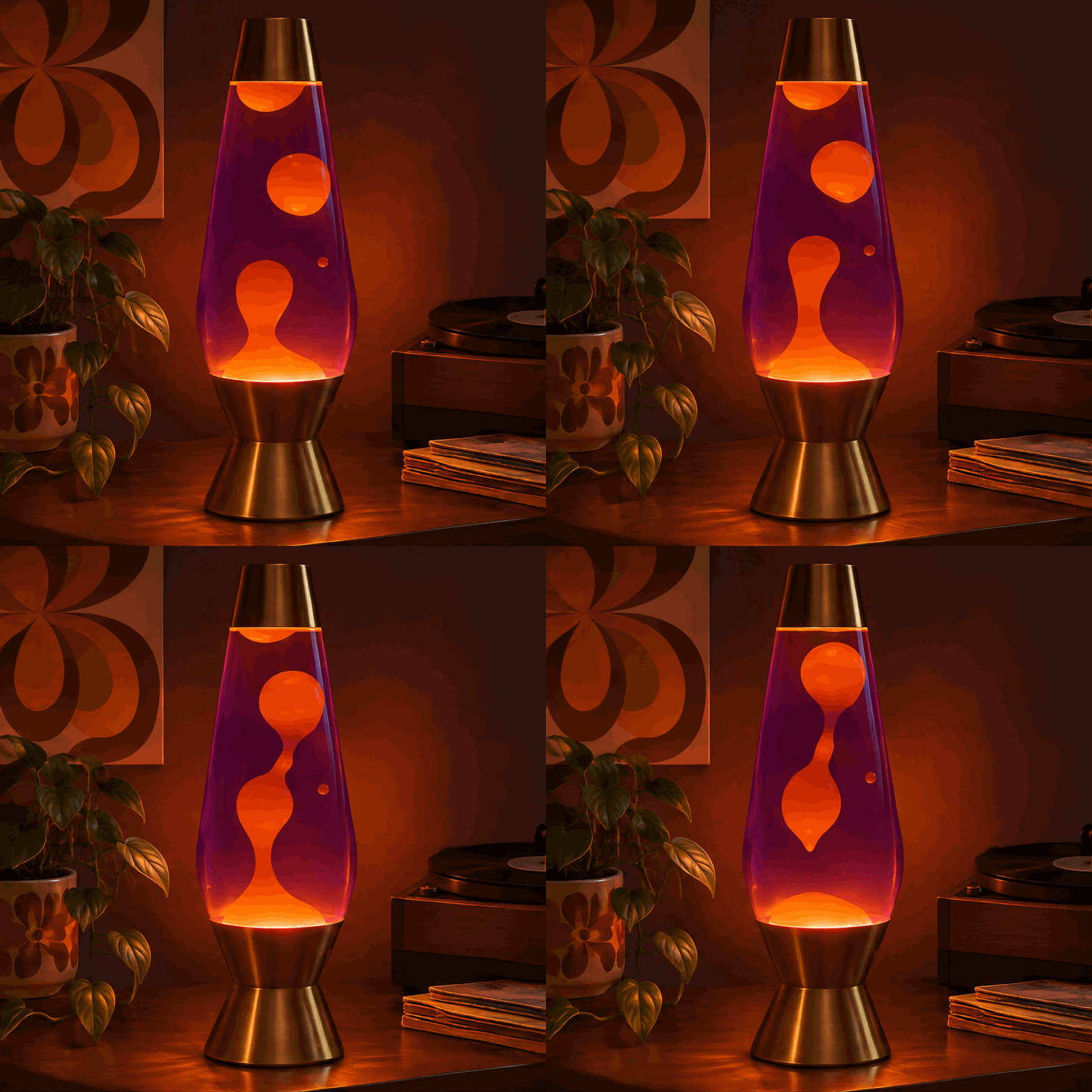
Someone should definitely build a GIF creation app or website on top of the API. I for one, would use it all the time.
SVGs
What if you want even more control over the output format? What if the image wasn't pixels at all, and was code that could dynamically resize to any aspect ratio? Enter SVGs. The model can output a file that you can send to print on a poster, import into figma or illustrator, and give your artists full control.
Park Badge
A flat vector badge for "Mount Merkle National Park". Circular emblem with a stylized mountain, pine trees at the base, a winding river, "EST. 2026" on a ribbon.

Forest green, cream and burnt orange. Clean shapes, no gradients.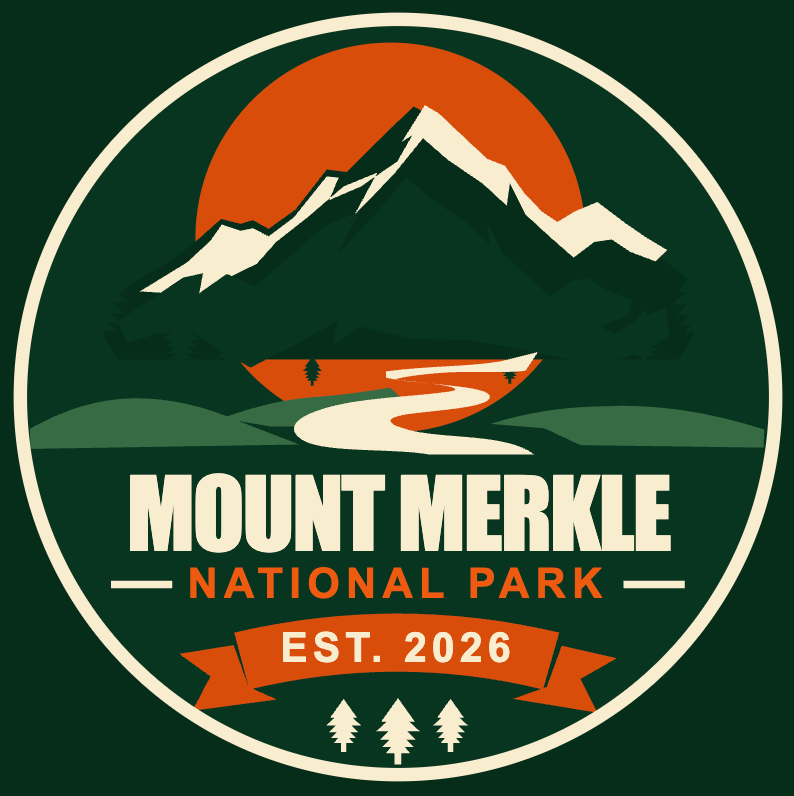
This is a screenshot of the SVG, but for proof, see how we can zoom in.
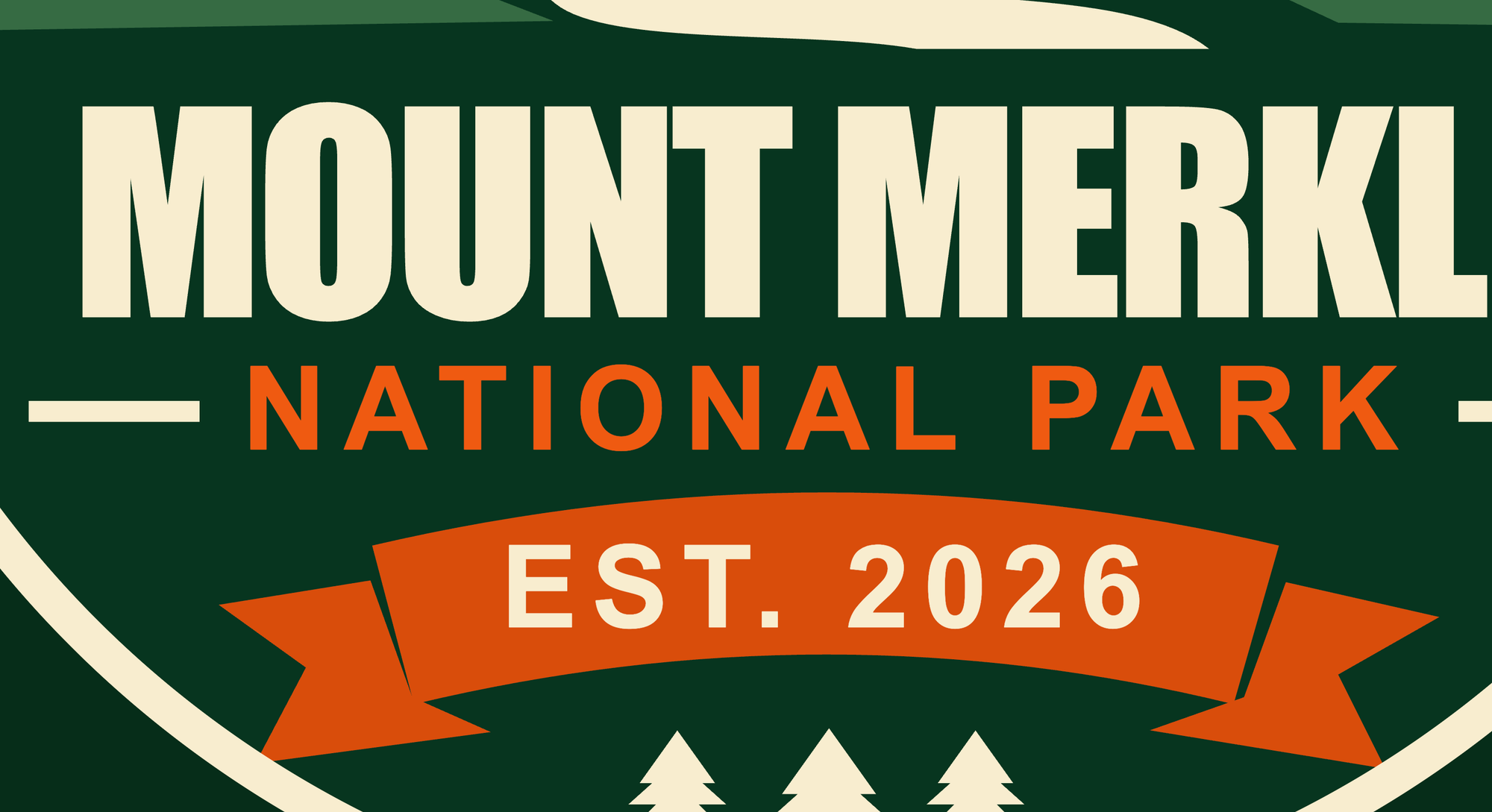
And zoom in further.

Without any loss of detail. The font stays crisp, and you could print this on a national park billboard if you wanted.
Pelican on a Bicycle
How does it fair on the classic "Pelican Riding a Bicycle" test?
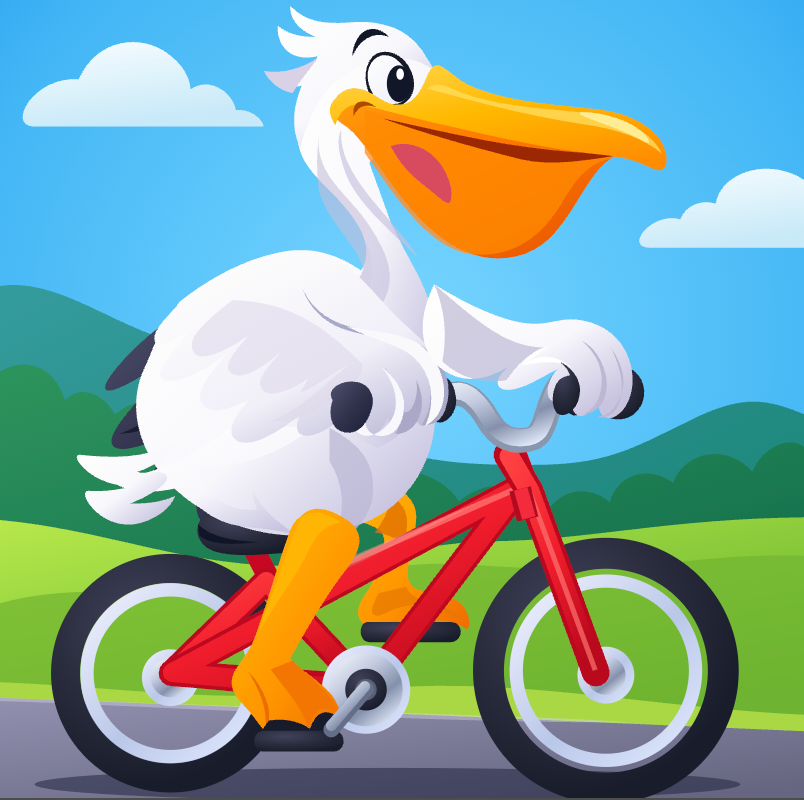
I'd say pretty well! For shapes drawn in code, this is a rather complex SVG. The model lets you choose between GPT 6 Sol or GPT 6 Luna to do the actual SVG authoring. Remember an SVG is not represented by pixels, but instead a snippet of code.
Markup: Draw what you mean
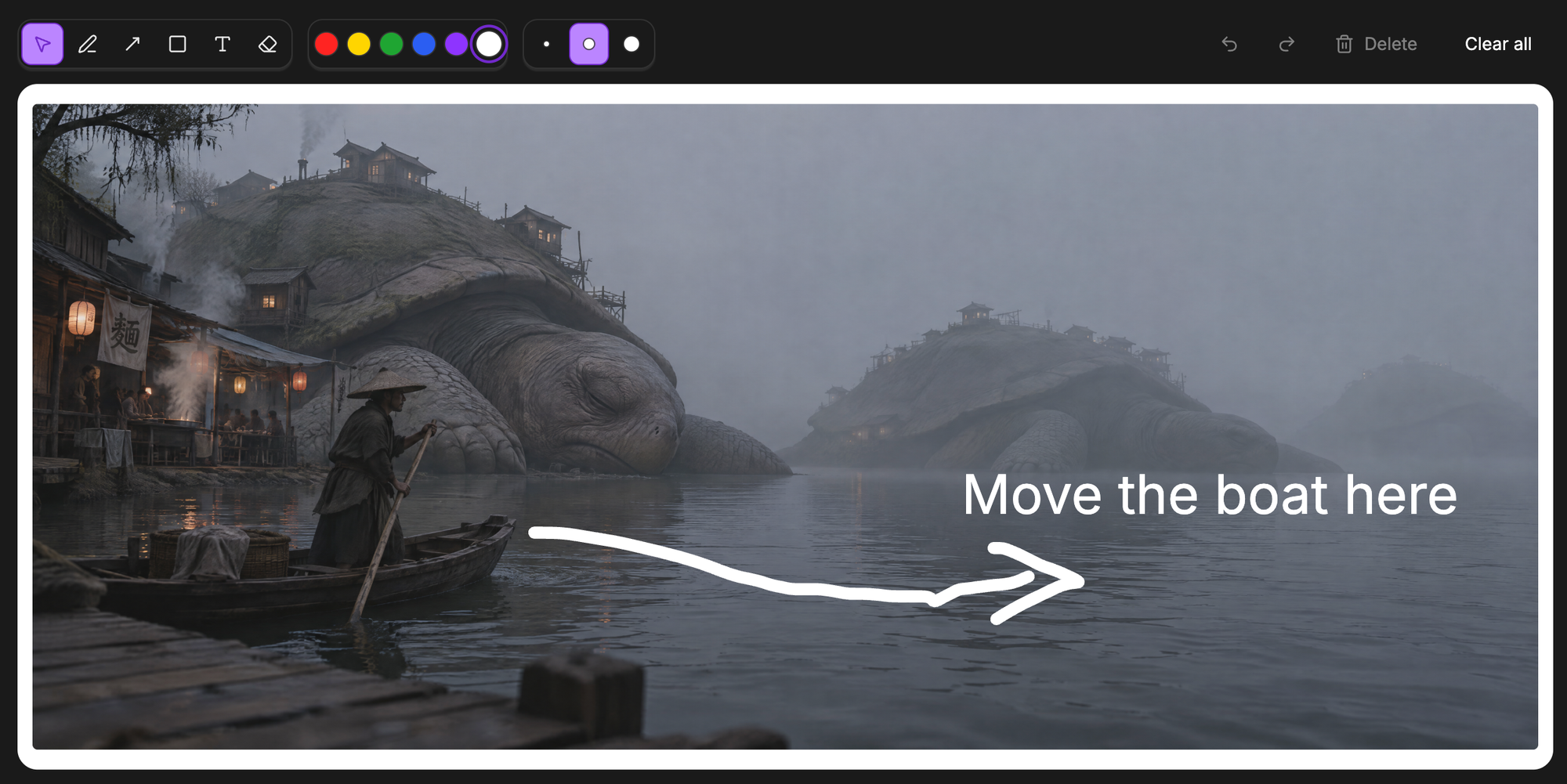
A picture is worth a thousand words. Try describing how far you want an item to shift over in an image. Or our friend in the boat to paddle in plain text. You'll never get the exact result you want. Now you can show the model instead of telling it.
Oxen.ai has built in tools for you to markup the images, and pass them right through to the model.
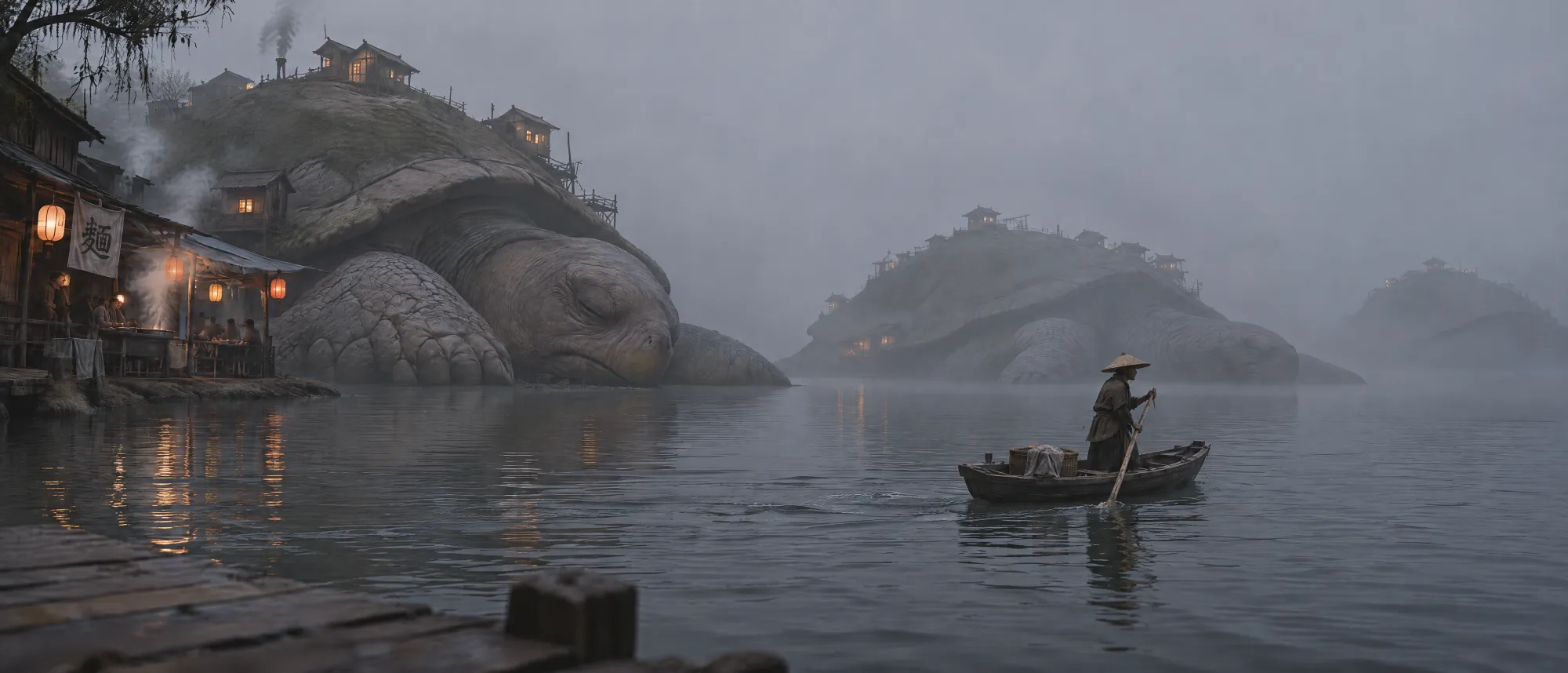
And voila.
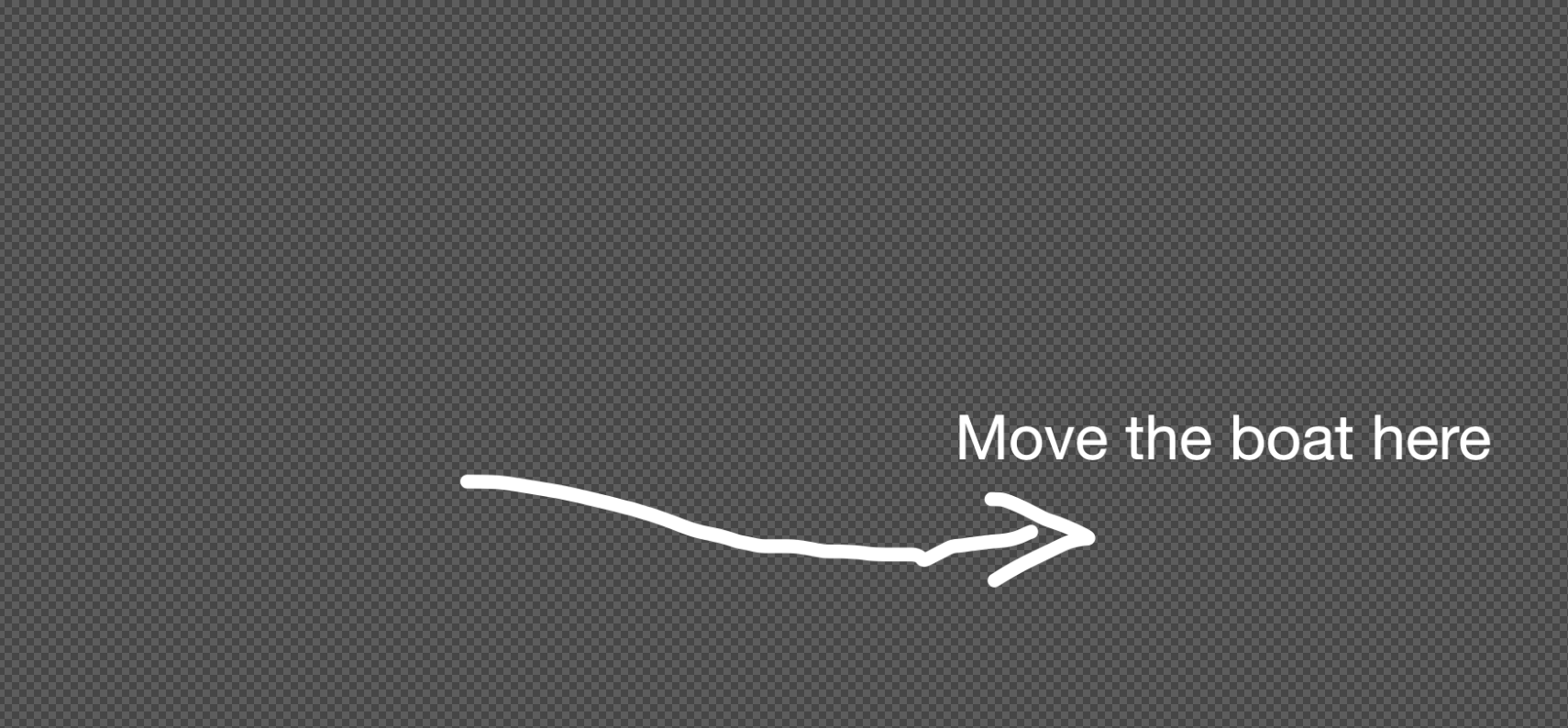
Behind the scenes, this passes a the second image overlay as an reference to the model. You are not actually drawing directly on the pixels or blocking information, it is purely additive, and the model is smart enough to follow the instructions.
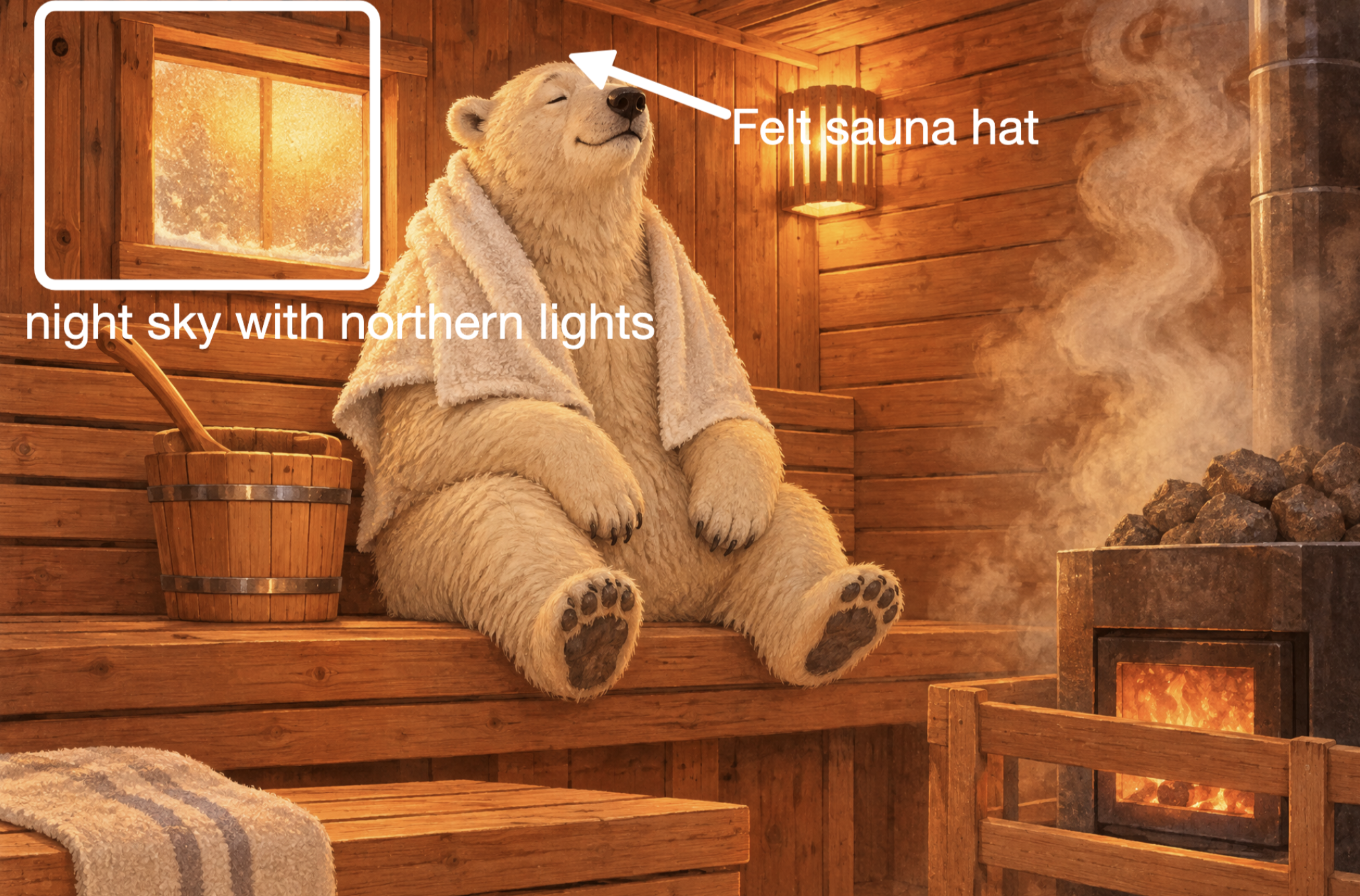
Here's another example where we are adding brand new items to the scene, exactly where we want them. Very impressive that GPT Image knows how to both read the text, and make the edits.
Save me a seat in there, will ya.
Masks: change this, and nothing else
Markup tells the model what to do, a mask tells it where it is allowed to do it. They are mutually exclusive, meaning you can only use one or the other. Use the Oxen.ai UI to paint over a region of the image.
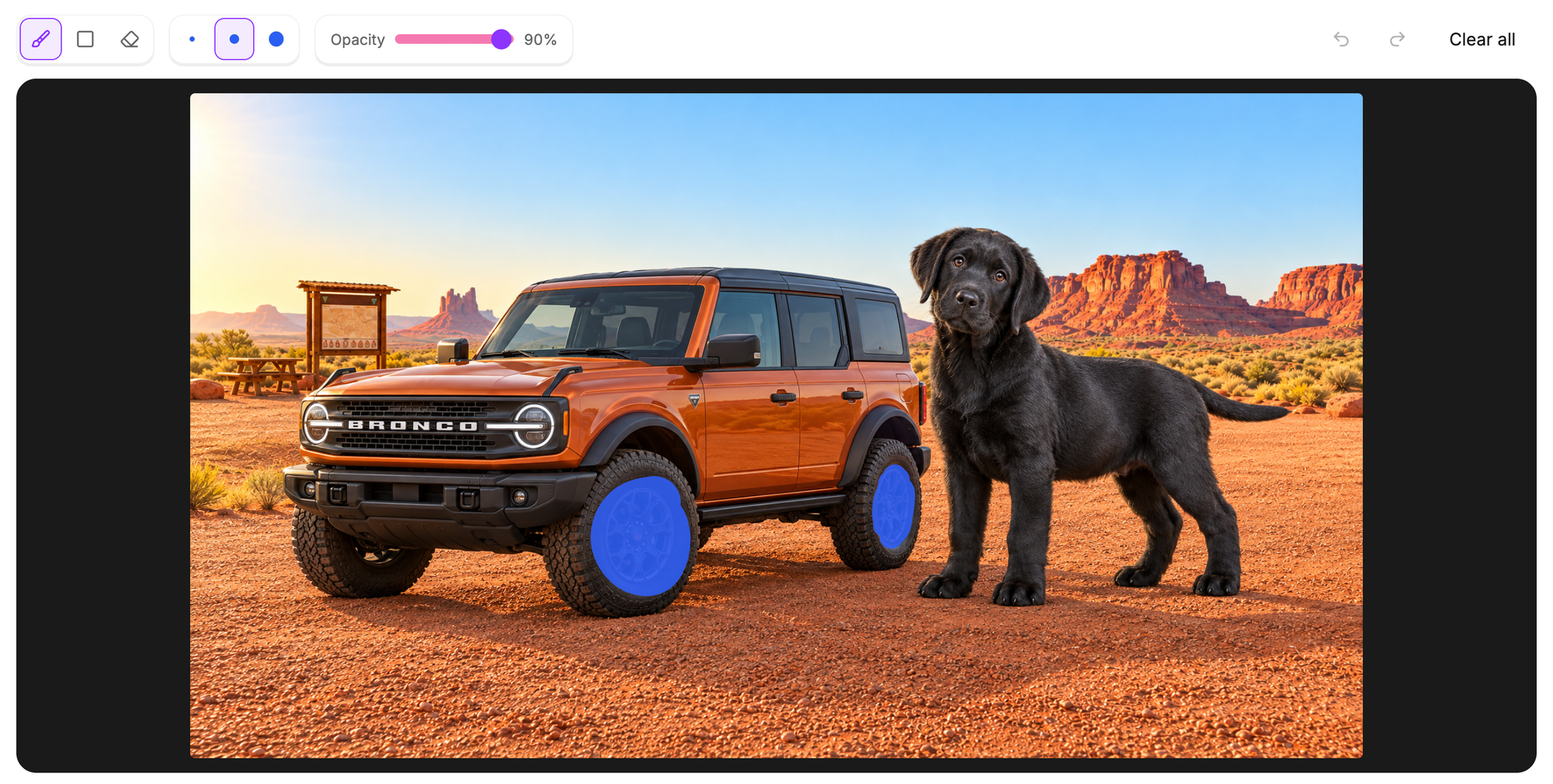
Make sure your prompt starts with "In the masked area", for example:
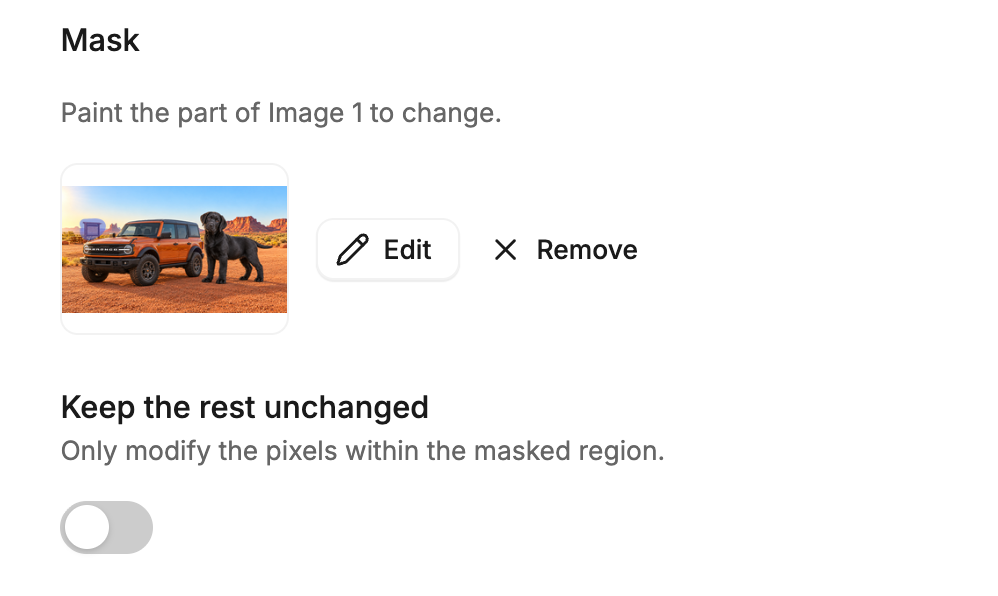
In the masked area, replace the text with "Batch 043, Dark Chocolate"This allows you to only change the pixels within your masked region and nothing else. There is an optional toggle to "Keep the rest unchanged".
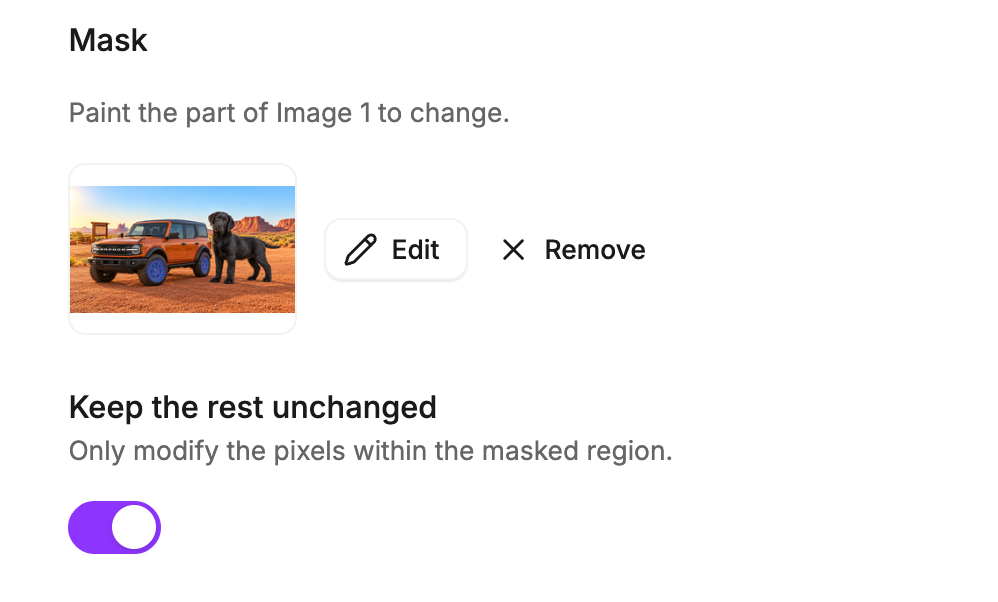
With the prompt "Change the rims to be gold"
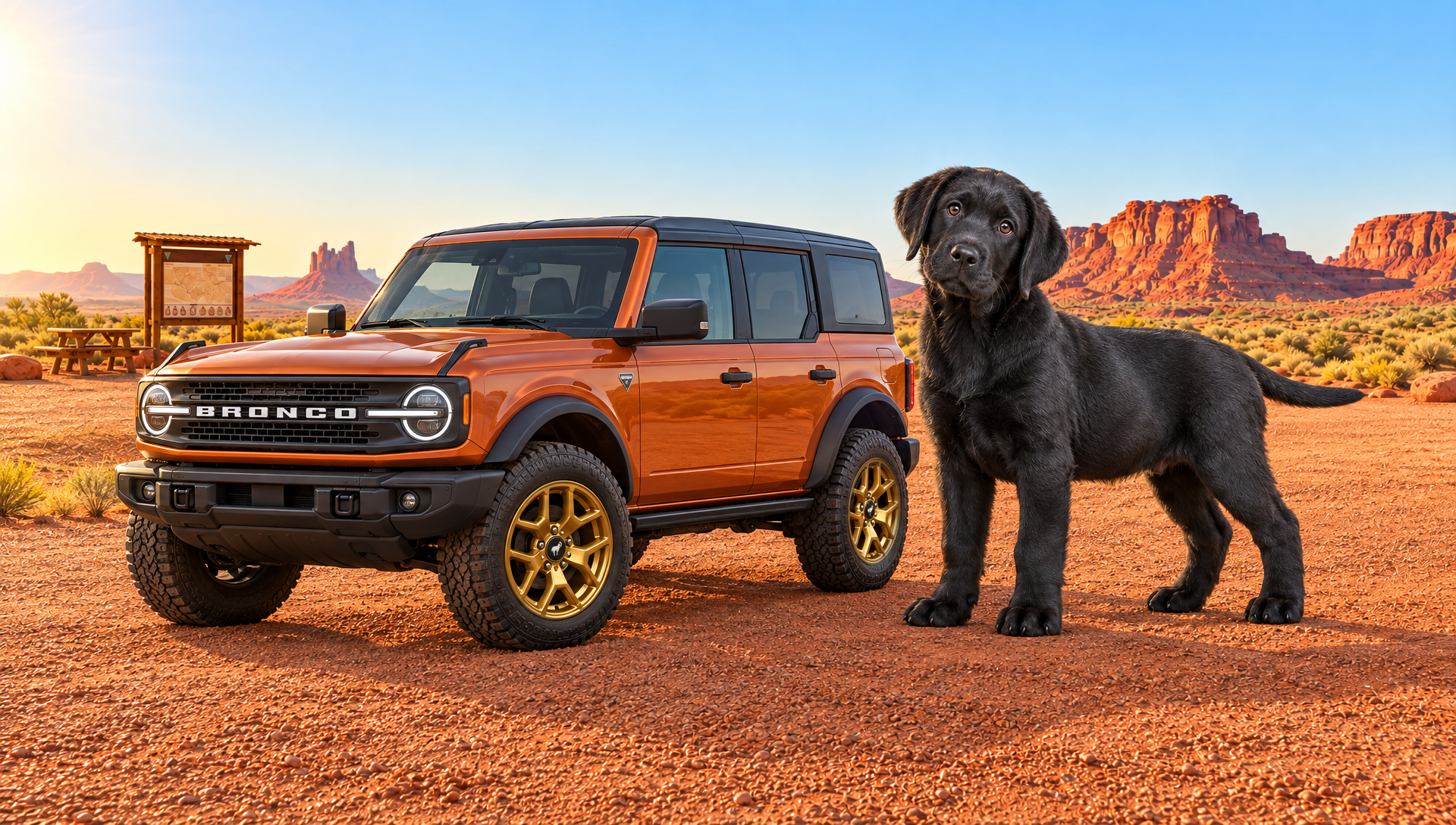
This made a pixel perfect change to only the rims on the tires, which is exactly what we wanted!
The reason you might want to turn this off is to not have the model take the mask so literally. Maybe the lighting or shadows change because you remove an object. If you turn it off, the model will re-hallucinate the whole image, and while there may be drift, it may end up in a more realistic image.
For example, if we want to remove the sign, but don't perfectly paint over every pixel...
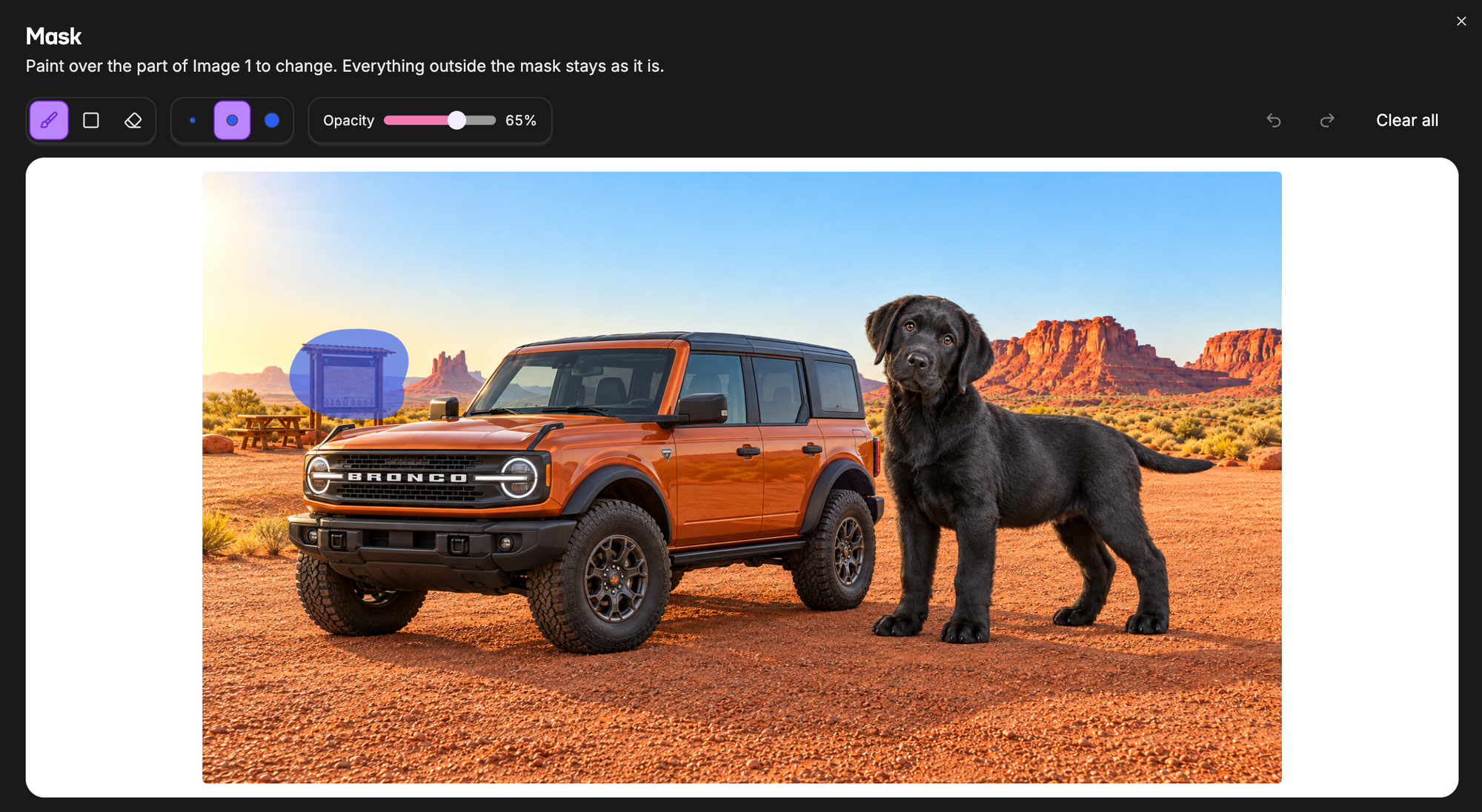
There will be lingering artifacts such as the sign posts. Look closely above the hood of the car where the sign used to be.
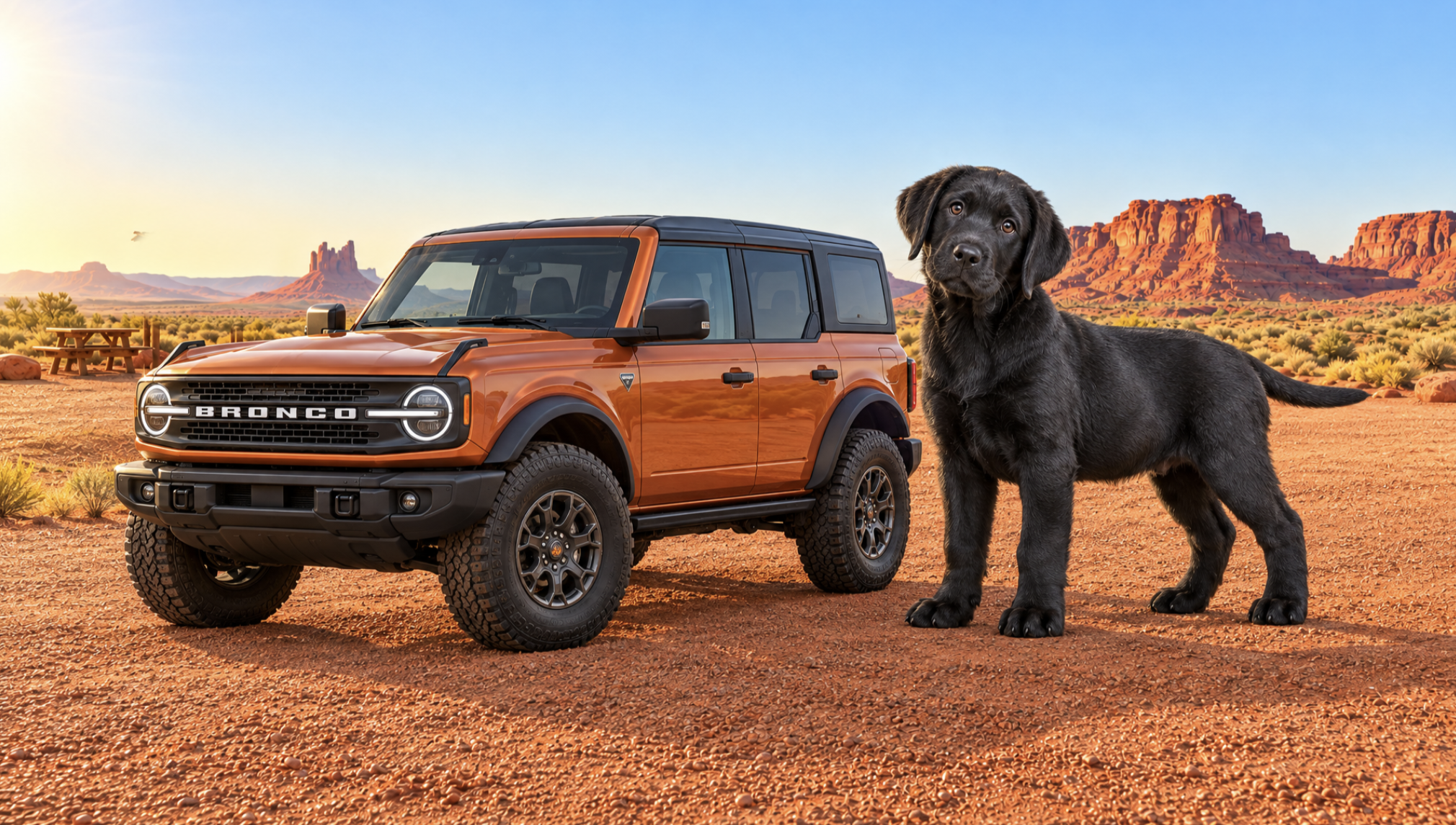
In this case you might want to just toggle off the flag, and hope the other pixels do not shift to much. Or take the time to make your mask perfect.
Conclusion
We hope you enjoyed this whirlwind tour of the latest model from OpenAI. The GPT Image 2.6 series is quite powerful, and Oxen.ai has tools that allow you to have complete control. The models are available through both the API and the UI. You can use them to build your own app or integrate them into a custom production pipeline. There's no one shape fits all workflow, so have fun and create your own!
Stay tuned as we add more models and tools. If you have requests or feedback, contact us at hello@oxen.ai, we love hearing what you are creating.
Best & Moo,
~ Greg and the Oxen.ai Herd